Chitika

Monday, March 18, 2013

Samsung Galaxy S4 vs iPhone 5 vs HTC One vs Blackberry Z10

So Samsung just unveiled its Samsung Galaxy S4, and you’re probably wondering how it stacks up to some of the latest and greatest from the Korean manufacturer’s biggest competitors. The Samsung Galaxy S4 stands tall up against heavy hitters like Apple’s iPhone 5, the HTC One, and the Blackberry Z10.

With its 5-inch 1080p HD Super AMOLED display, 1.6GHz Samsung Exynos 5 Octa chipset (or 1.9GHz quad-core chipset depending on which market you’re in), 2GB of RAM 13 megapixel camera with 2 megapixel front sensor, 4G LTE, Bluetooth 4.0, up to 64GB of internal storage with a microSD card slot for expansion, Android 4.2 with TouchWiz and more, this thing does not fail to impress.


Samsung’s biggest focus was on many of the new software and features added to TouchWiz, such as Air View, the new Smart Stay features with Pause and Resume, Samsung Smart Scroll, S Travel, S Health, S Translator, Group Play, S Voice Drive, and more. A Dual Camera feature will also allow you to take photos and videos with the front and rear cameras simultaneously. The stakes are high for 2013, so here are some of the biggest devices Samsung’s Galaxy S4 will be up against once the device launches in Q2:

iPhone 5

This is one of the biggest devices we’re comparing it to — after all, the legendary patent war between Samsung and Apple, as well as the big shots the former is taking at the latter in advertising, warrants a bigger spotlight. The iPhone 5 is still doing its own thing with a 4-inch Retina display, Apple’s 1.3GHz dual-core A6 processor, 1GB of RAM, 8 megapixel camera, iOS6 and more. This is Apple’s breadwinner so far, and although we’re expecting a refresh or sequel for 2013 this is still top dog in the Cupertino camp.

HTC One

HTC’s pride and joy for 2013 has set a pretty nice bar for others to match or exceed. The beautiful 1080p 4.7 inch display, the front-facing dual stereo speakers, the revolutionary UltraPixel camera and other unique features are to be reckoned with, and the latest facelift to HTC Sense with Blink Feed and a fresh user interface make the HTC One a sure winner. How it does numbers wise remains to be seen, but HTC is banking heavily on this one, and it’s telling that it borrowed the same “one device, all carriers” strategy Samsung successfully deployed for the Galaxy S3 and Galaxy Note 2.

Blackberry Z10

Blackberry, formerly RIM, probably won’t win any awards for its offering, but it being the company’s first device to help turn the ship around we felt it warranted inclusion here. It’s also something enterprise users will be watching closely as Samsung looks to challenge Blackberry, Apple and the rest with SAFE and Knox security features and initiatives. The Blackberry Z10 holds a special place in many hearts for those who are still holding on hope for the business king to survive.

Which one are you guys betting on for 2013? Are you going to be going with any of these new phones or are the options for 2013 enough to satiate your appetite for another year or so? Let us know how you’re feeling in the comments section below!

Apple iPhone 5 vs. Samsung Galaxy S3 vs. HTC One X: The cameras

Here's how the iPhone 5's camera stacks up against a couple of its Android competitors.


Apple didn't do much to the iPhone's camera from the 4S to the 5. Then again, it didn't really have to.
The iPhone 4S has one of the best cameras on a smartphone, and with some improved processing and other enhancements, the iPhone 5 does now, too. But it's not the only mobile device with a good camera built in, with the HTC One X and Samsung Galaxy S3 offering up some strong competition. 

All three devices use an 8-megapixel backside-illuminated (BSI) CMOS sensor. Basically, the benefit of BSI CMOS sensors over regular CMOS sensors is that their design allows more light to reach the photo diodes, which means less light is needed to get a properly exposed photo. The result is better low-light photo quality. (Keep in mind, though, that just because they all have the same sensor type, doesn't mean the sensors are of the same quality or the image processing will be identical.) 

To further help out in low-light conditions, all of the models have large apertures; the iPhone has an f2.4 33mm lens, the Galaxy S III has an f2.6 27mm lens, and there's an f2 28mm lens on the One X. Brighter lenses let in more light, so there's less of a need to use higher ISO sensitivities that introduce noise and kill detail.


All three of the cameras have very good shooting performance with no or low shutter lag and fast shot-to-shot recovery, so you're never really left waiting to take the next shot. 

Shooting options are pretty basic for the iPhone 5 with no controls over things like ISO or white balance, but you do get HDR and the new panorama mode. The Samsung and HTC, on the other hand, are closer to using a standalone point-and-shoot, with different scene modes and more control over results (though I doubt these things will matter to most people) and they, too, have HDR and panorama modes that essentially work the same as the iPhone's. 

I hesitate to pick an overall winner here -- my time shooting with all three was brief -- but when it came down to picture quality, the iPhone 5 regularly produced excellent photos regardless of lighting. The One X is a pretty close second, however, turning out photos with nice color and detail. The Galaxy S3 turns out very good pictures, too, but they're not as usable at larger sizes as the iPhone 5's. (You can take a look for yourself in the slideshow above.)


Amazon Slashes Prices On Kindle Fire HD 8.9 Across The Board ($30 Off Wi-Fi, $100 Off LTE), Now On Sale In Europe And Japan

Whether to combat flagging sales or reflect lower component prices, Amazon dropped the price of its Wi-Fi 8.9" Kindle Fire HD today by roughly 10% - down to $270 for the 16GB model. The price of the 32GB model dropped by $30 as well, to $300. The LTE model received a much more substantial 20% cut, and now costs $400 - $100 less than the price it debuted for.


The Kindle Fire HD 8.9 isn't exactly old news - it began shipping only 5 months ago in the US, and $300 for the entry-level model was scarcely believable even at that time. Why now? There are basically two plausible explanations. First, the HD 8.9 isn't selling as well as Amazon expected. That's far from unbelievable, given the rampant success of the company's small Fire and Fire HD tablets, and the decidedly non-techy, frugal audience to which they are designed to appeal.

The alternative may not be so much lower component prices, but rather a component switch-up. The Fire HD 8.9 uses a TI OMAP 4470 chipset, and back in September of 2012, TI announced that it was winding down its mobile chipset business. The company's OMAP 5 platform (likely its smartphone/tablet swan song) is slated to hit the market in Q2 2013, but I doubt we'll be seeing many consumer-oriented products utilizing it. This price drop may reflect an upcoming early refresh for the HD 8.9 in an attempt to clear out stock before a model with new guts is unveiled.

Either explanation is, of course, speculative.

The Fire HD 8.9 is also now officially on sale in select European markets and Japan.

Oppo Find 5 Review: Not Perfect, But You Should Probably Pay Attention To It Anyway

n a world where Samsung and Apple dominate the smartphone sphere, and multi-billion dollar companies like Sony, LG, and Motorola struggle to maintain single-digit market share, it's rather easy to convince yourself that real innovation and excellence costs lots of money. And, as an extension of that thought process, that there's little reason to look outside the current crop of popular phone makers.

But you'd be wrong.

Known mostly in the United States for its Blu-ray players (yes, really), Oppo is a Chinese electronics maker that is easily ignored. I hadn't even heard of their Blu-ray players until last week (and only because I looked them up on Wikipedia).

I knew Oppo for a phone it released last year - the Finder. At the time, it was quite impressive (on paper). But as often happens with phones from smaller manufacturers, I forgot about it almost as soon as I'd heard of it. Sadly, that's just kind of the way the rapidly-evolving smartphone industry works. If you aren't making waves on a quarterly basis, it's difficult to stay relevant.

The Find 5 is their newest phone, and while Oppo has aspirations of international availability, I doubt you'll be seeing too many of these outside of Asia. And, frankly, it's easy to see why - no LTE, no brand recognition, and no carrier distribution agreements (at least in the US). The Find 5 is also rather clearly designed first and foremost with the Chinese market in mind, and hey, that makes sense.

If anything, though, the Find 5 is yet another reason to pay attention to what's happening with smartphones in China, where they're not just displacing old Nokias, but laptops and computers in general.

wm_IMG_5283
Oppo Find 5
  • Price: Varies by market
  • Processor: Quad-core, 1.5GHz Qualcomm Snapdragon S4 Pro APQ8064
  • GPU: Adreno 320
  • Network compatibility: 3G HSPA+ 21Mbps (quad-band)
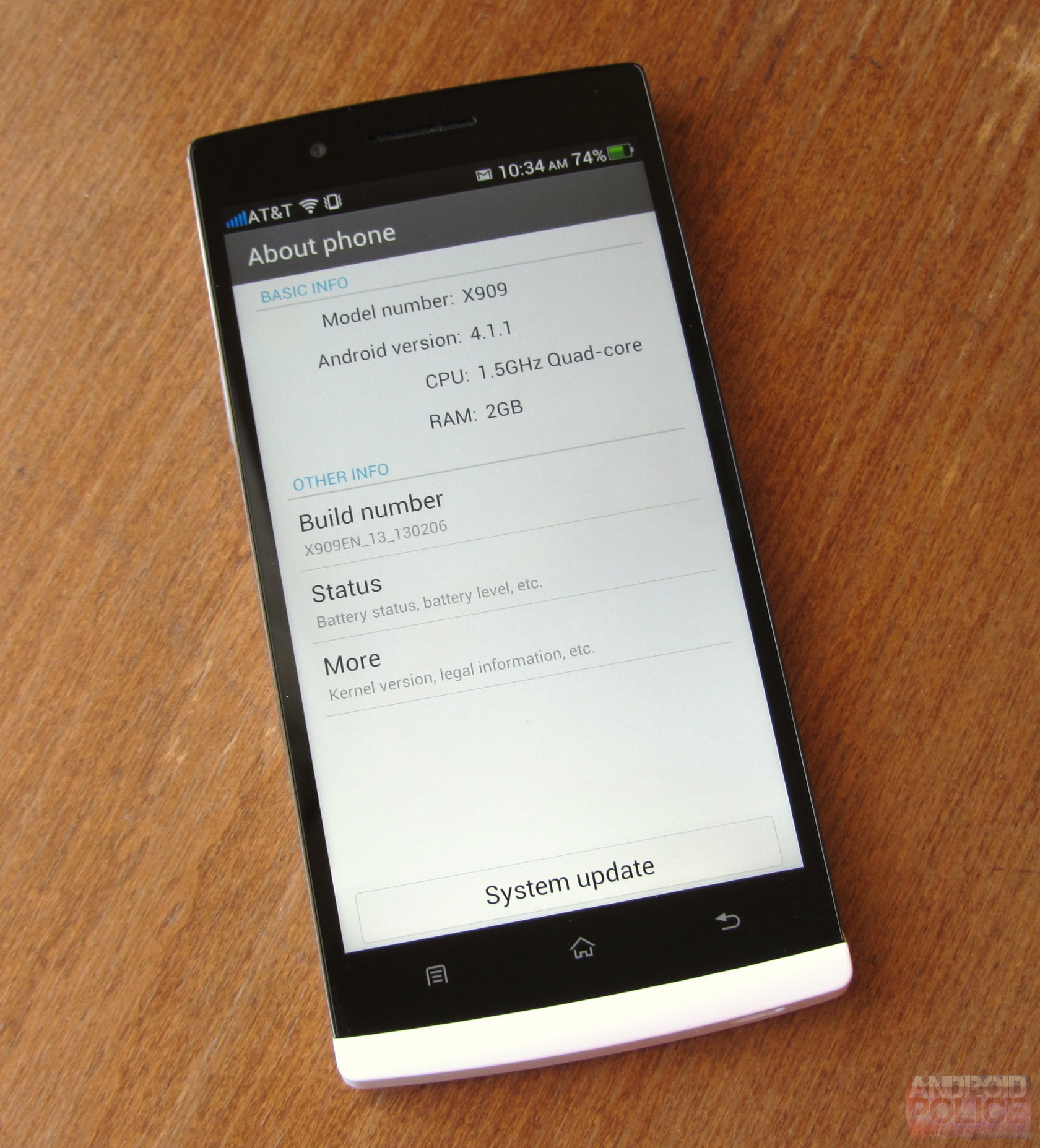
  • Operating system: Android 4.1.1
  • Display: 5.0" IPS LCD 1920x1080 (441 DPI)
  • Memory: 2GB RAM / 16GB storage (12GB usable, 32GB model available)
  • Cameras: 13MP rear with hardware HDR photo and video capabilities, 1.9MP front
  • Battery: 2500mAh, non-removable
  • NFC: Yes
  • Ports / expandable storage: microUSB / none
  • Thickness: 8.9mm
  • Weight: 165g
The Good
  • Design and build: The Find 5 feels very solid and tightly assembled, if a little on the heavy side. It's also rather nice to look at. It's not rewriting the smartphone design 'book,' but I think it's legitimately sleek and stylish.
  • Display: The 1080p display is a winner. Good colors, decent brightness, and of course, eye-melting sharpness.
  • Battery life: Generally, battery life was pretty good - the Find 5 got me through the day. If you use your phone a lot, though, your mileage may vary significantly.
  • Software tweaks: Oppo has 'borrowed' a lot of the good software features that Samsung and other OEMs have come up with, and the result is a pretty robust set of built-in extras. Oppo is also promising a very rapid update cycle (think weekly) for the phone's software, which should be of interest to some.
The Not So Good
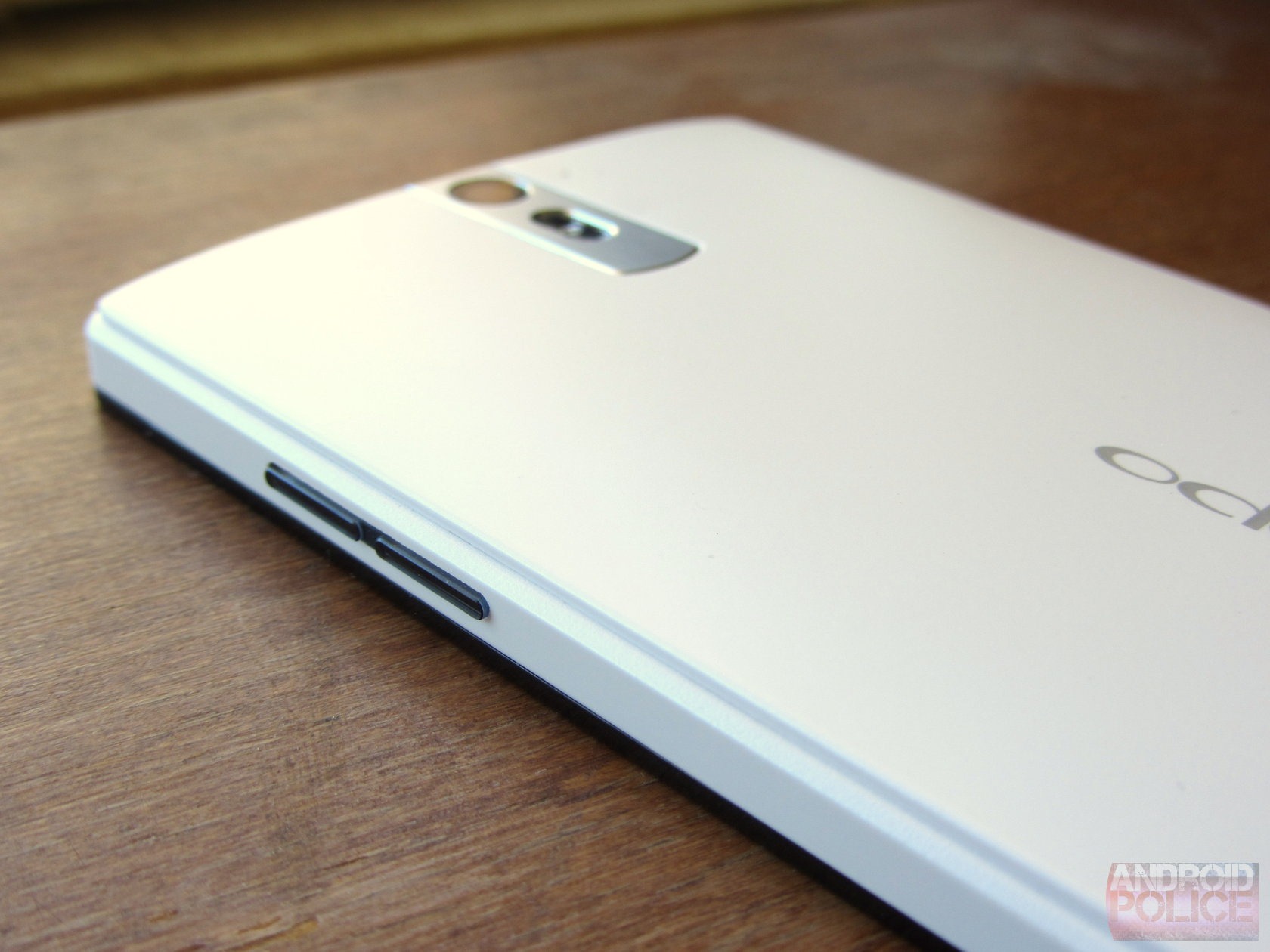
  • Fit and finish: While the Find 5 feels very tight and solid, there's some pretty obvious corner-cutting going on. The power / volume buttons are very hard to press, and sit very loosely. The screen scratches rather easily. The phone is also unusually heavy.
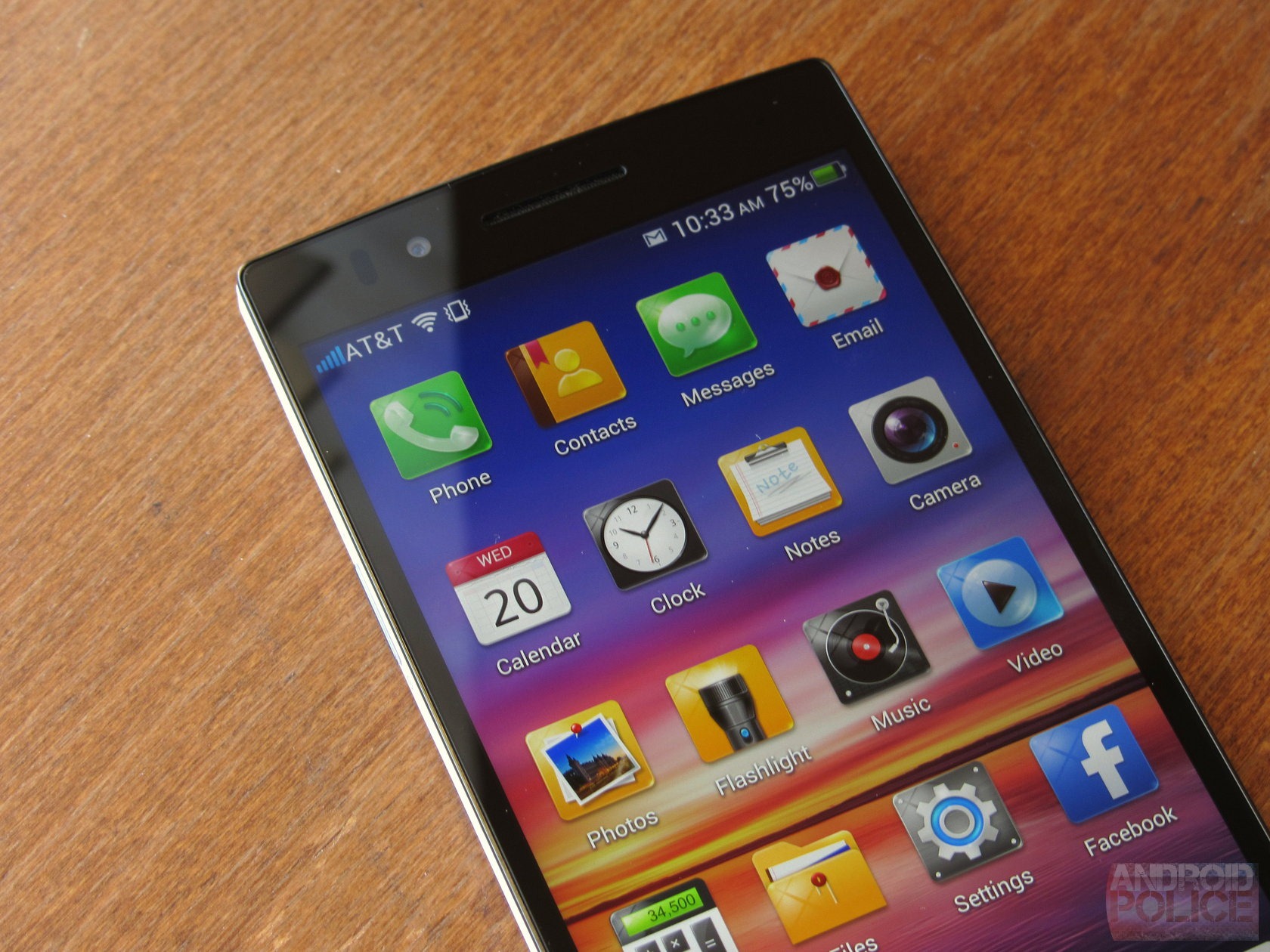
  • Software issues: The Find 5's software, while feature-rich, just doesn't feel well thought out at times. The iOS-style icon backgrounds are cheesy, look terrible, and cause visual clutter. Apps sometimes crash. Things like battery history are just plain missing. The default lockscreen gesture is extremely difficult to use.
  • Signal problems: The Find 5 suffers from a severe case of 'death grip' - hold it wrong (or sometimes, at all), and your bars will drop faster than you can say 'iPhone 4.'
  • Battery drain under load: If you're using the phone a lot, the Find 5's battery life quickly goes from 'adequate' to 'where's my charger?' Lax power management and poorly optimized software seem to be the most likely culprits.

Hardware


Design and build quality

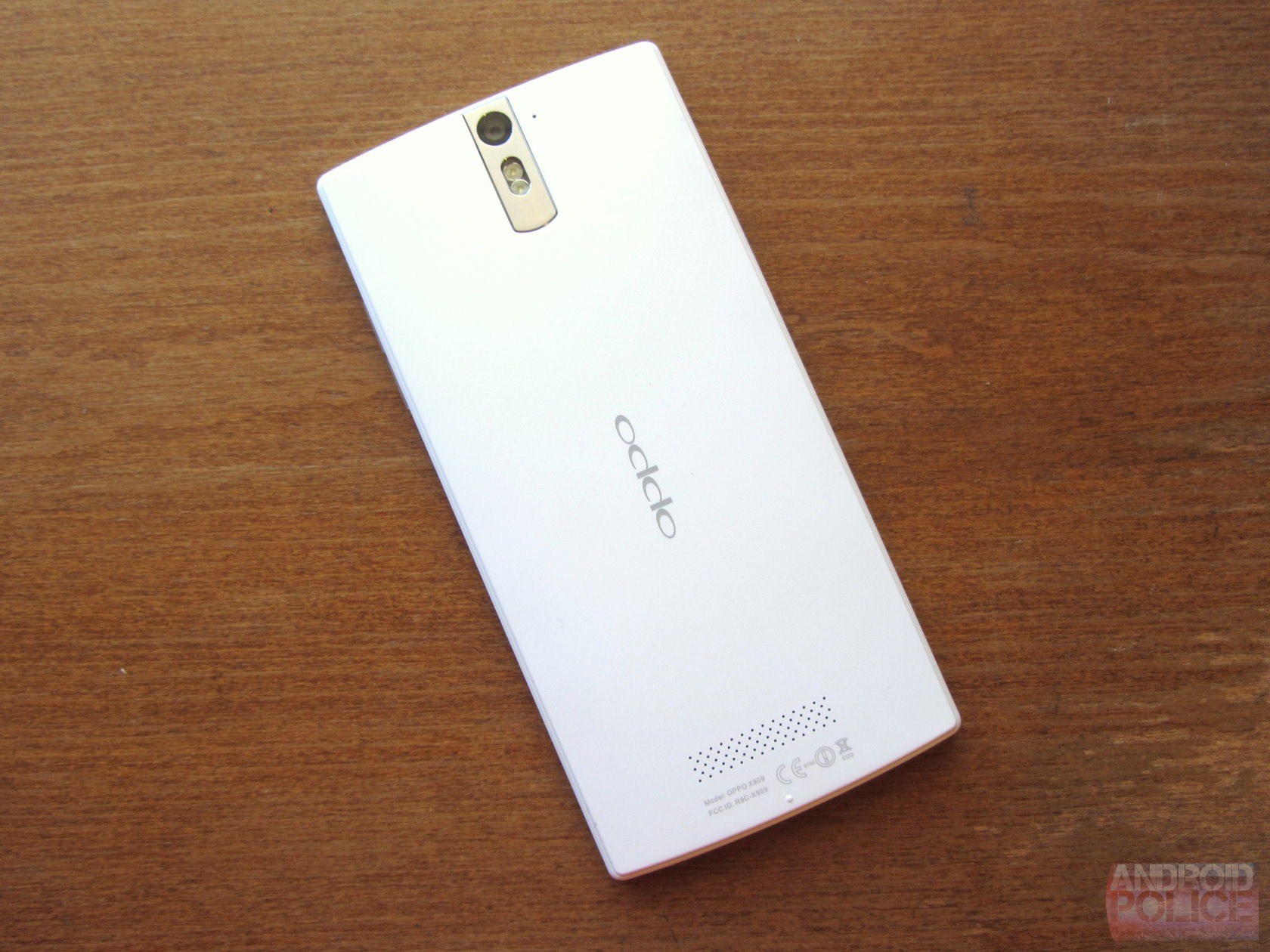
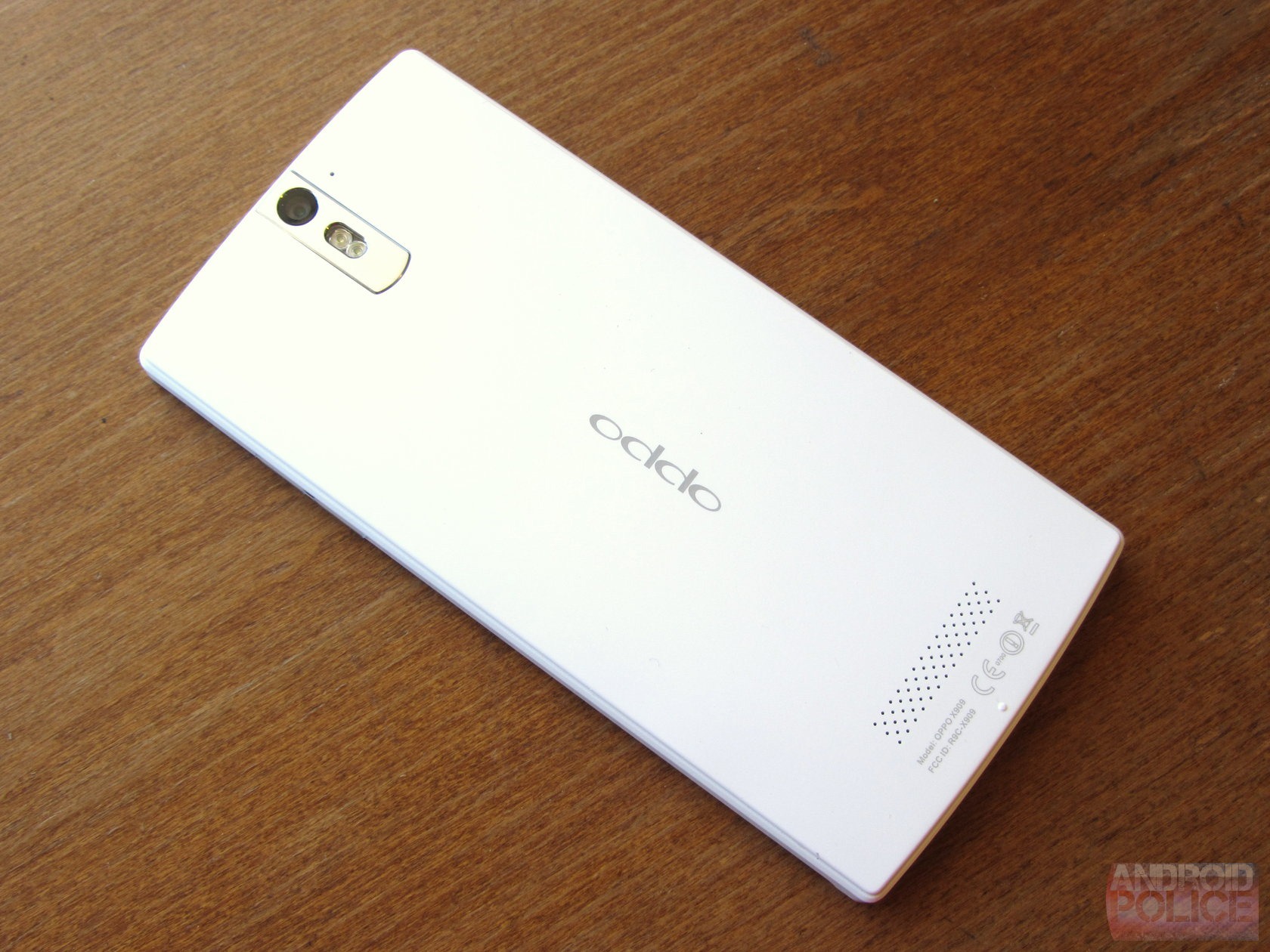
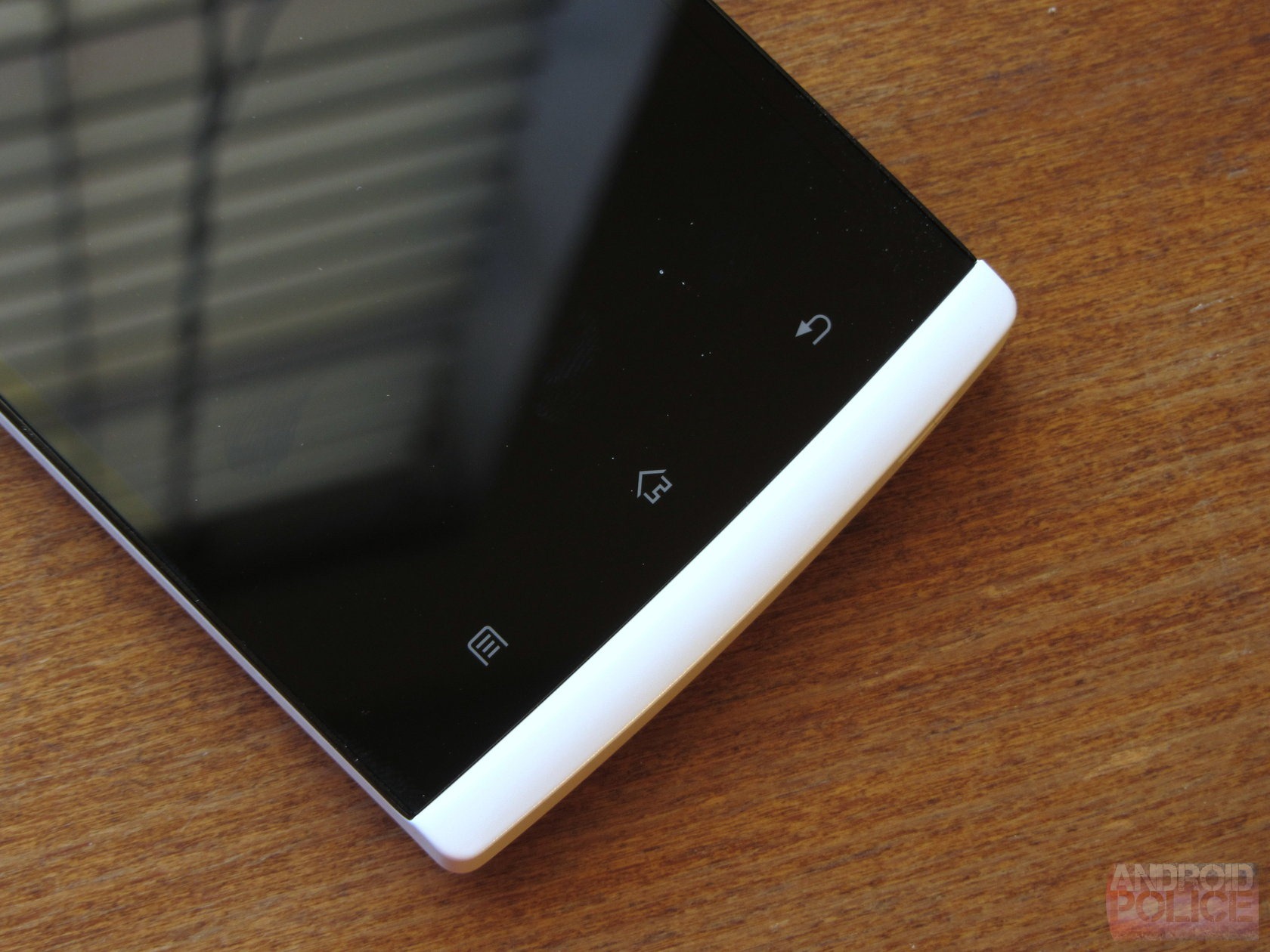
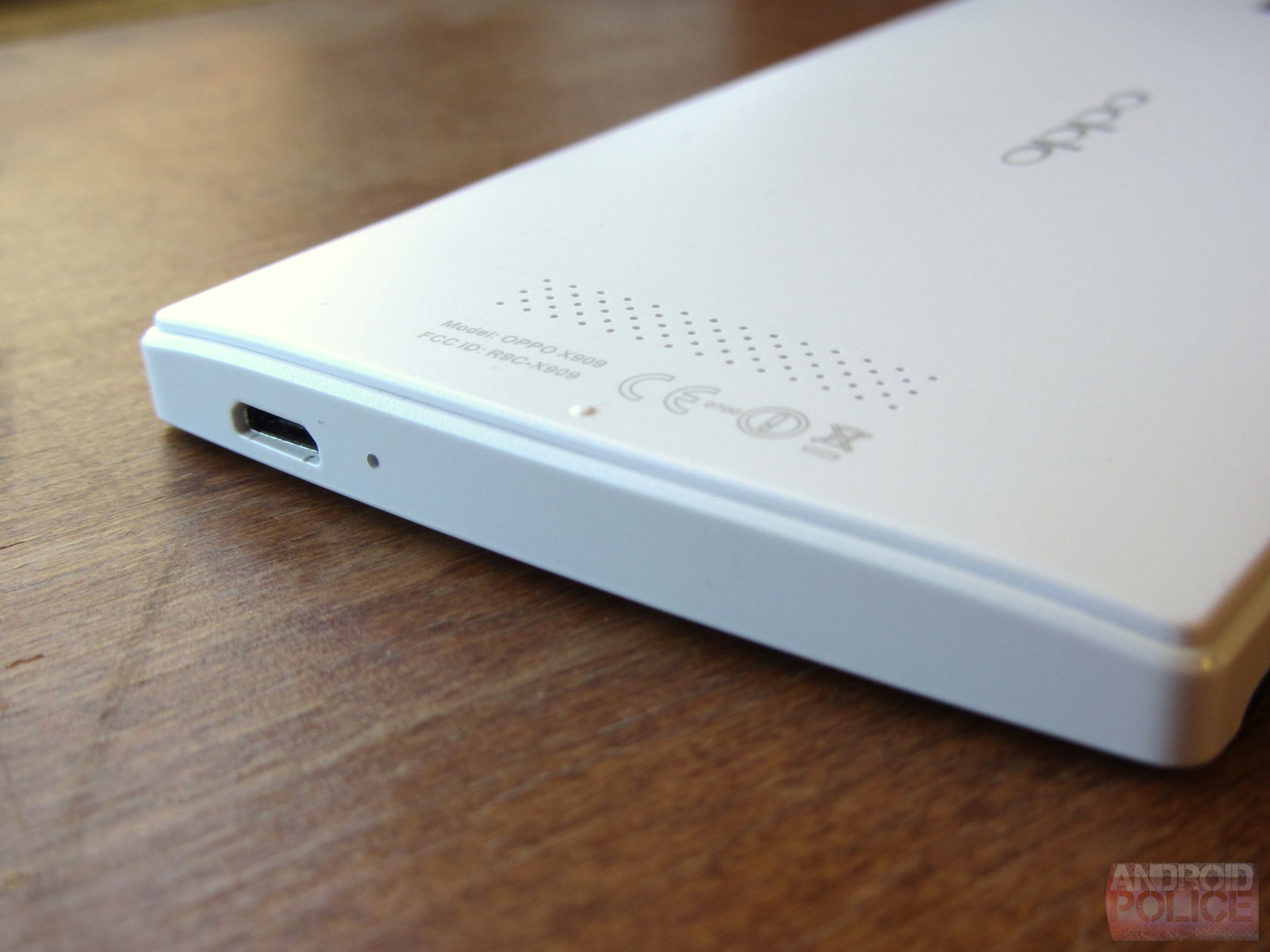
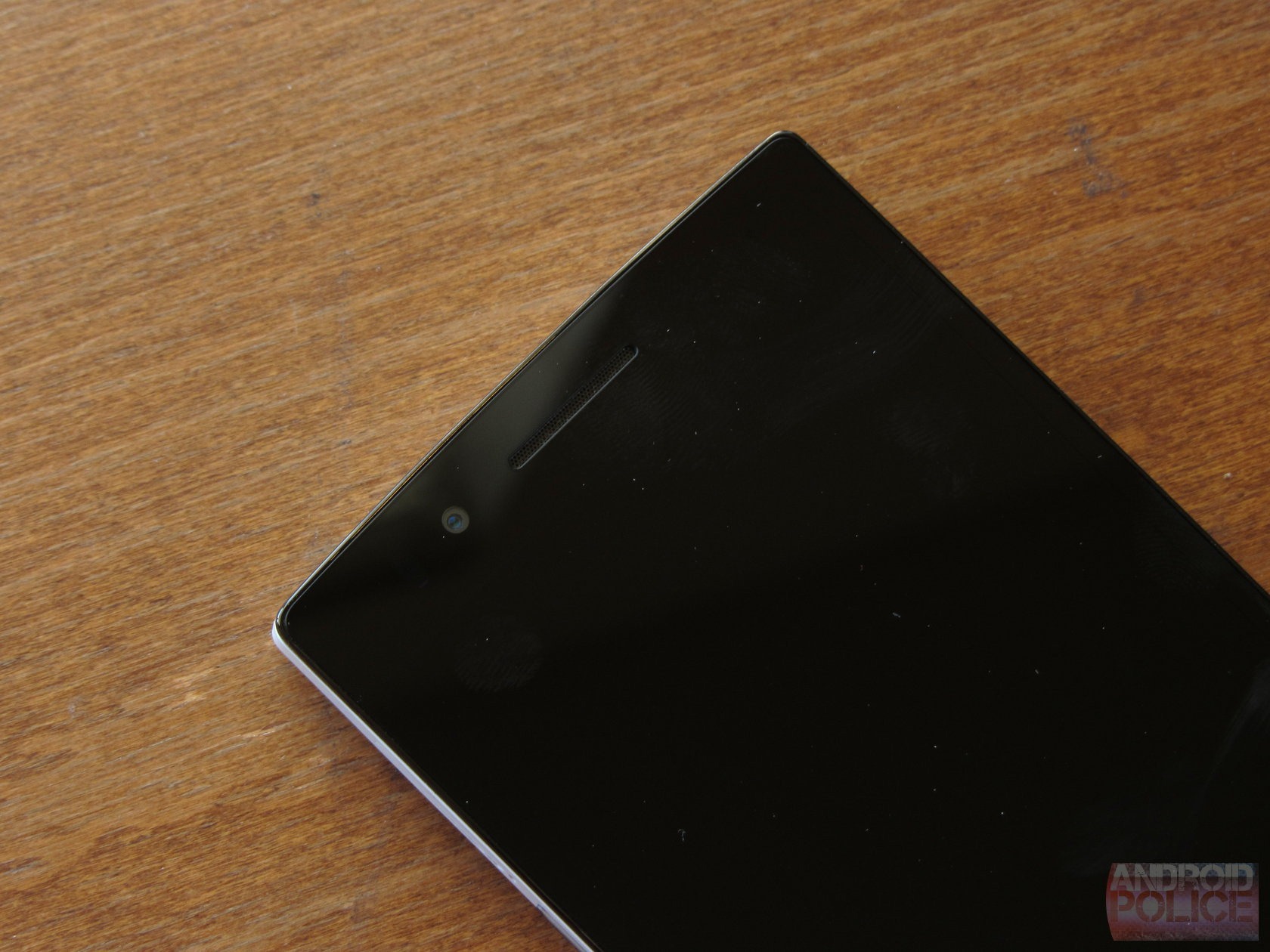
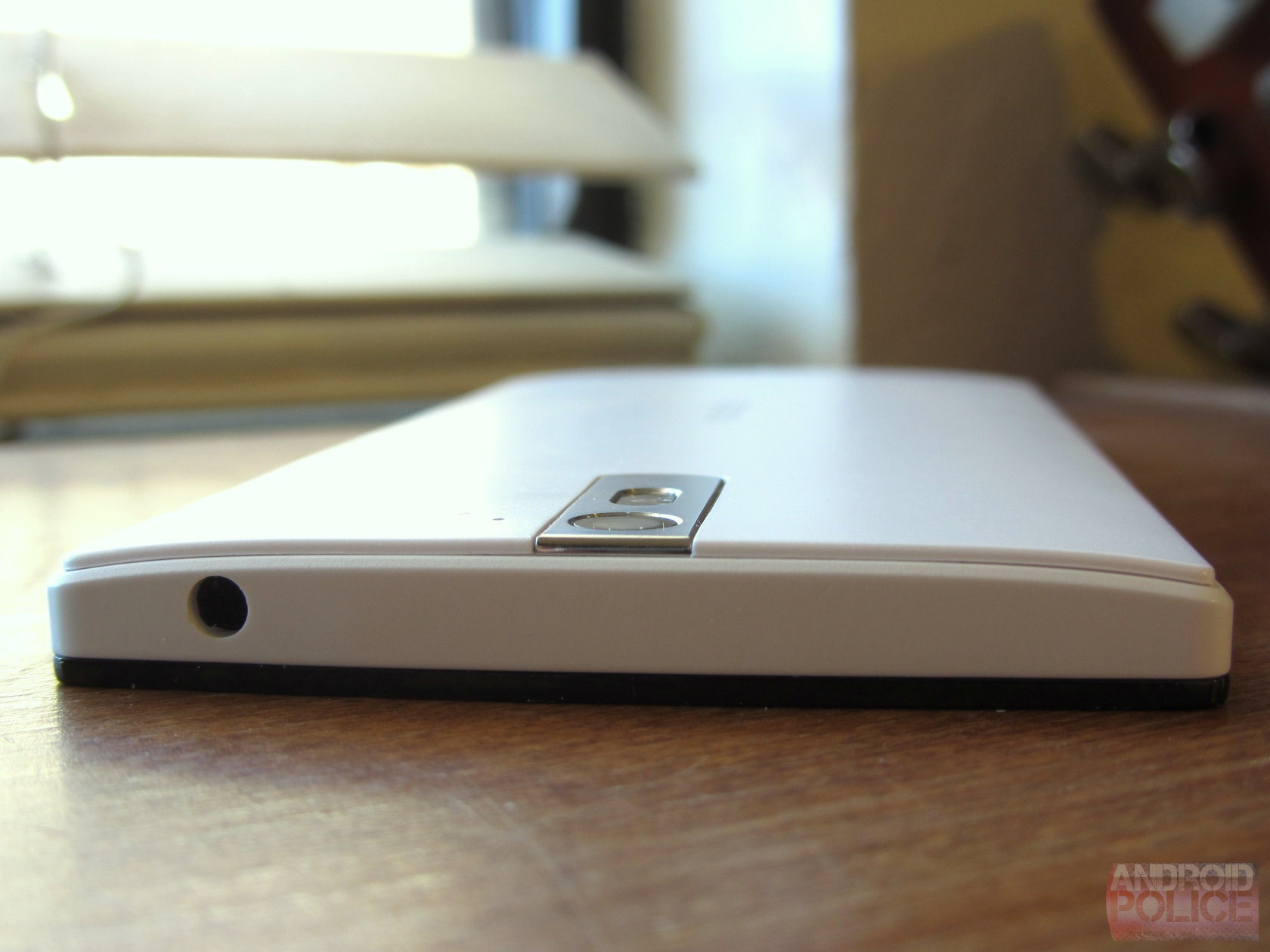
To my eyes, the Find 5 looks oddly like something from the old Sony-Ericsson Xperia line. It is extremely minimalistic, with large, sweeping curves and a small contrasting "chin" on an otherwise uniform black glass face. And that's not a bad thing at all - the Find 5 is easily the best-looking smartphone I've seen come out of China. While its design is certainly evocative of the old SE Xperia look, it doesn't feel like a copycat, and has plenty of character of its own to spare. The issue with the design of many phones I've seen from other Chinese manufacturers (Huawei, ZTE, Meizu) is not so much that they are ugly, but that they're extremely boring and generic. The software adds to the Oppo's aesthetic distinctness, as well, though we'll get to that later.

wm_IMG_5257
wm_IMG_5281 wm_IMG_5275 wm_IMG_5271 
As far as quality is concerned, the Find 5 is surprisingly sturdy. I wouldn't have guessed, based on the fit and finish, that this was Oppo's sophomore smartphone. I think this goes to show that making a 'solid' phone isn't necessarily difficult, but that it generally requires accepting that removable batteries are a thing of the past. Building a phone that only comes apart via screws and/or rigorous prying to feel "solid" is probably a lot easier than making one that has a removable rear cover equally rigid.

wm_IMG_5279
wm_IMG_5285 wm_IMG_5287 wm_IMG_5290
However, I wouldn't venture so far as to say the phone truly feels premium. The Find 5 has a substantial heft (165g) to it, and is within weight class shouting distance of the much-larger Galaxy Note II (183g). To put things into perspective, HTC's 5" DROID DNA weighs a svelte 142g - 23 less than the Oppo, and is essentially the same size. In fact, the Oppo is actually narrower and thinner than the DNA, but is still substantially heavier. More weight means a higher likelihood of display breakage when dropped and, at least for me, a higher chance of dropping the phone in the first place. That white plastic also has a texture that I'm not exactly a fan of - it feels like cheap smartphone plastic. It also scratches like it - I dropped the Find 5 recently and it now has some rather ugly scuffmarks on the front "chin."

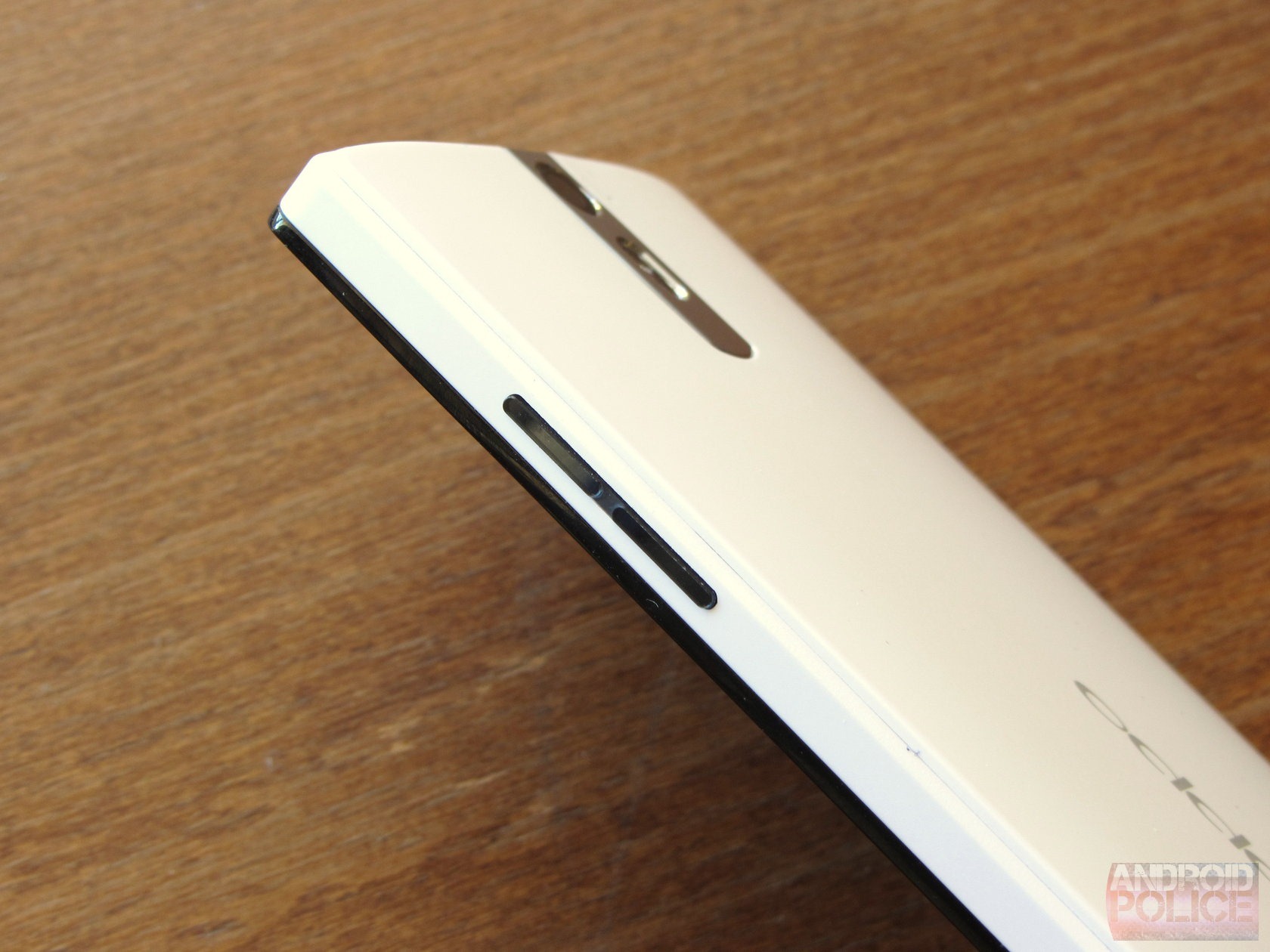
To some extent, I believe this is because Oppo wanted to build the Find 5 with a certain look, and was willing to sacrifice a bit of engineering pragmatism to get there. This is equally evident when looking at the brushed metal (correction: they're plastic) power and volume buttons, which are very nice eye-candy, but are very difficult to depress, and sit rather loosely in their fittings. The edges of the phone around the display are also unusually sharp, as well, sometimes making it uncomfortable to hold.

wm_IMG_5268
I was recently unfortunate enough to have the privilege of driving a new Camaro as a rental for a couple of weeks, a car that changed little from its original concept design when it went into production. The result was a vehicle with very little visibility while driving, a high curb weight, and poor cabin ergonomics. While I wouldn't say the Find 5 is deserving of such harsh criticism for its own design choices, it falls victim to the same basic problem: compromising practicality for aesthetics' sake. It's just not something you see happen on high-end phones from Motorola, HTC, or Samsung.

Display

The Find 5's display really surprised me - in a good way. While it doesn't get unusually bright, and doesn't the best viewing angles I've ever seen, the color accuracy and sharpness impressed me. And though it's not as good as, say, the HTC One X / X+, the Find 5 will hold its own against the Nexus 4, or even the DROID DNA (which, I'd argue, has a very good display, but not by any means the best). Overall, the Find 5's 1080p IPS LCD left me very happy, and it was far better than I expected.
wm_IMG_5258
wm_IMG_5266 wm_IMG_5267
I'd say the only notable downfalls are the glass and the brightness. The display doesn't seem particularly scratch-resistant (my review unit has a few light scratches already), and in bright sunlight, it won't be winning any awards. The very average brightness is likely to blame for the latter.

Still, the Find 5 is probably going to outclass most of its Chinese-made rivals in this area with ease, and definitely stands up to some of the current leaders in the global smartphone space. Heck, it's a lot better than the Xperia ZL's display, another phone I'm reviewing at the moment.

Battery life

The first day I had the Find 5, battery life was a disaster. After an update to the latest beta firmware, the large 2500mAh lithium ion pack has managed to get me through an entire day of light to moderate use quite reliably. This has only gotten better with further firmware updates.
Unfortunately, I found when I started putting the productivity / media consumption hammer down, my experience changed quickly. I noticed the same problem on LG's Optimus G when I reviewed it, which uses the same quad-core Snapdragon S4 APQ8064 processor. Considering phones like the Nexus 4 and DROID DNA manage to use this same chip without this issue, I'm guessing it's down to the software drawing on those powerful cores.
SCR_2013-02-07-15-50-50
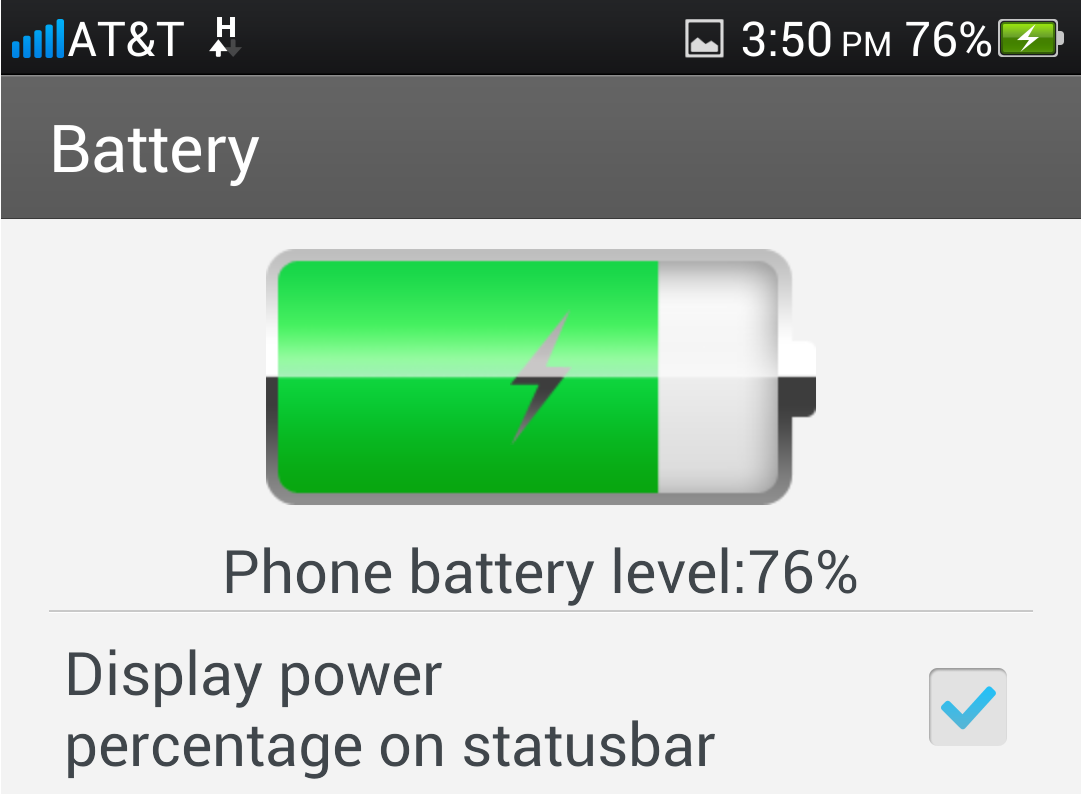
This is the extent of the battery information you're provided.
Whether browsing the web, dredging through email, or simply reading through my Twitter feed, any extended screen-on time I spent using the Find 5 seemed to absolutely nuke the battery. My theory on this is that Oppo simply hasn't spent enough time optimizing the efficiency of its software. The OS is taking that beefy A15-esque processor to full-crank far too often, and like the engine of a car, all the energy-saving technology in the world can't fix a bad case of leadfoot. In the Find 5's case, the OS is the one putting the pedal to metal - you're just along for the ride.
Finally, the battery is not removable, if that wasn't already clear.

Storage, wireless, and call quality

The Find 5 comes in two storage capacities: 16GB and 32GB. There is no microSD slot. You don't get all 16/32 of the advertised gee-bees. That's pretty much par for the course in a modern smartphone.
LTE is a no-go on Oppo's new phone, but that makes sense given its target markets (EMEA) are just beginning to deploy 4G on any sort of wide basis. Instead, you get HSPA+ 21, which is perfectly adequate if LTE is something you're not interested in / can't get.
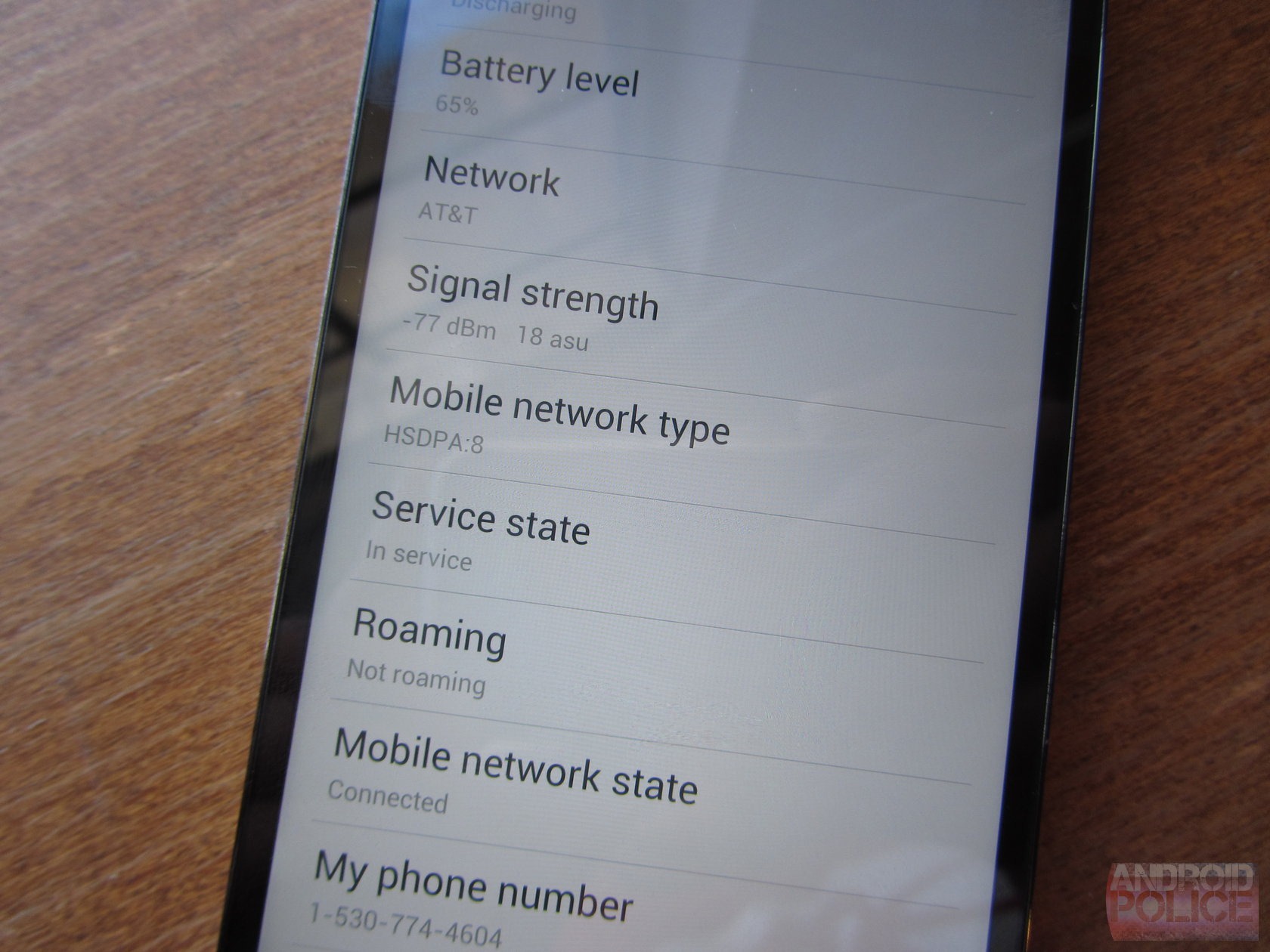
Of more concern is that the Find 5 suffers from a rather serious deficiency in signal strength. I found it to be extremely prone to 'death-grip' syndrome, regularly going from 5 bars to 1 or none when I held it, especially indoors (which makes sense). That effect had real-world consequences, too. I'd often notice when on a phone call that the more tightly I held the phone, the more difficult it became to hear / be heard. Similarly, data connectivity would become more reliable when I set the phone down. Whether this was a problem specific to my review unit, I can't be sure.
wm_IMG_5306 wm_IMG_5302
Left: resting on tablet, Right: being held (gently)
Update: After a second software update, call quality now seems fine - very loud, and pretty much what you'd expect of any high-end smartphone. Apparently there was some sort of software issue.
Call quality was yet another poor mark for Oppo, and truthfully, 'poor' is being generous. The Find 5 was probably the worst smartphone I've used for actually making phone calls, as it was nearly impossible to hear the person on the other line. Too quiet, too muddy, and too often interrupted by what I can only assumed were the phone's issues with signal strength. I would describe the Find 5 as near-unusable for voice conversations unless you turn on speakerphone mode.
My guess is that Bluetooth headsets are basically ubiquitous in China, and cheaping out on the earpiece speaker of a smartphone is more easily overlooked. For me, though, this flaw would be serious enough to serve as a standalone reason not to buy the phone.

Audio

Sound from the Find 5's headphone jack was just as superb as every other recent Qualcomm-powered device I've tested. Qualcomm uses a great audio hub with a reasonably powerful headphone amplifier, and the sound it puts out is flat, clean, and undistorted. If you want to hear what a bad headphone jack sounds like, just plug into your Nexus 7. Oppo is also using something called "Dirac HD" for a software-based audio enhancement, though I'm not sure exactly what that does, as the effects can only be enabled in Oppo's own music player app.
The rear speaker is very loud, but it has the undeniably hollow, tinny quality of a smartphone that lacks proper insulation of the driver component. The result is that notifications have a highly sibilant, piercing quality that I personally cannot stand, causing me to leave the phone muted at basically all times. The plus side is that you could probably hear said notifications over a rock concert, and that may not bother some people.

Camera

The Find 5's 13MP rear shooter does a very good job under forgiving circumstances, and the 13MP resolution gives you a lot of crop room to play with. Detail is very sharp on close-ups - some of the best I've seen. Exposure in daylight is often too high or low (blame this on the software), though, and colors tend be on the hot side (oversaturated).
Given its resolution, the Find 5's camera has a very quick shutter (in daylight), and the responsiveness of the camera itself was good.
IMG20130220134605556
IMG20130220134612514 IMG20130220134448352 IMG20130220134823022
I maintain that it's not the sensor that truly makes a smartphone camera, it's the post-processing and software. The greatest camera in the world stinks if you can't get the exposure right, or screw up the white balance, or auto-focus is too twitchy. The Exmor RS may well be a camera worthy of lauding, and the Find 5 did get some very decent shots, but they were too hard to get. I had to play with focus points to get the exposure right, focusing in low-light was near impossible at times, and HDR mode didn't really "wow" me in terms of the results.
IMG20130220134757592 IMG20130220134650302
IMG20130220134533814

The Exmor RS is clearly a very good sensor, but I shouldn't have to think about using my smartphone camera - it should just work well period. While the Galaxy Note II and One X+ may produce inferior detail and struggler under low light at times, they're also much quicker to focus, adjust exposure, and generally get things right on the first shot. If you're not concerned with things like that, and you simply care about having the highest level of detail possible, the Find 5 makes a better camera, just one that's much more difficult to use.

Software

Performance and stability

The Find 5 performs admirably when buzzing through most tasks, though at this point it's fairly obvious the whole 'experience' just isn't finished yet. Oppo warned me when reviewing the phone that it wouldn't be using the final international software, though I can only give so much leeway based on that: it becomes too easy to simply chalk up every problem, every bug, and every little inconsistency to "pre-release firmware," and let shoddy work skate by on the thin ice that excuse provides.

That said, thankfully, a new and much more stable firmware release was available shortly after I received my review unit, because the software it shipped with was utterly broken. The phone would randomly reboot for no reason, erase icons from my homescreen, and at one point powered itself off (again, no apparent cause) and refused to boot back up until I connected and then disconnected it from a power source. The whole curious case of the disappearing icons incident actually forced me to do a factory reset on the phone at one point, because the app drawer was just gone. There was no way to get it back. All I could do was get into settings (and, for some reason, my Twitter icon was spared) and initiate a wipe.

On the lighter side of things, none of my apps would sync over mobile data unless I went into each one and individually forced them to. Numerous apps simply crashed at random, though that was the least of my nuisances at that point.

To be fair to Oppo, these problems (mostly) ceased when I updated the firmware.
In terms of general speediness, the Find 5 feels slower than a Galaxy S III, Note II, or Optimus G. It also feels quicker (at times) than phones like the One X / X+ or the DROID DNA. However, once the next crop of phones like HTC, LG, and Samsung go on sale, I have a feeling the Find 5 will seem considerably slower. All that said, it's still pretty near the bleeding-edge of smartphone hardware, and is by no means going to be considered yesterday's tech a few months from now.

UI and UX

Oppo has taken its fair share of liberties in modifying Android, and with the copying of other OEMs, in the Find 5. The result is something really interesting - there are occasional flashes of brilliance here.
SCR_2013-02-07-15-48-39 SCR_2013-02-07-15-48-48 SCR_2013-02-20-14-49-00
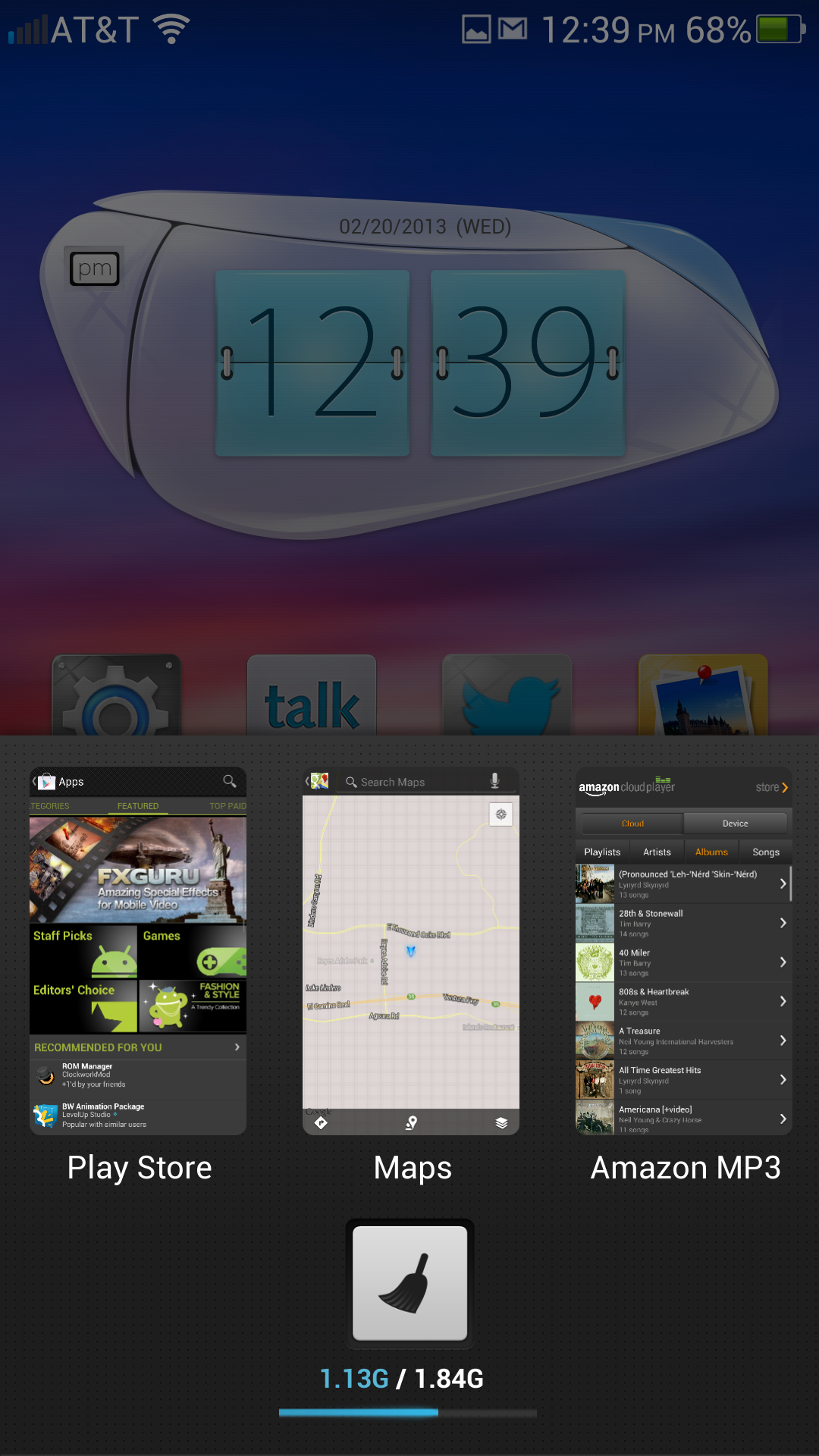
I seriously don't know what's up with Oppo's widgets, though. They look like some of ASUS's old motherboard utility apps, and I don't mean that in a flattering way. The clock widget and power control widget are just... terrible.

The iOS-style icon backgrounds don't help, particularly because some apps (eg, Google Apps) force an icon style on the OS without borders, which basically ruins the uniform styling Oppo is going for. Overall, Oppo's take on Android is a bit of a mess, visually. Functionally, it's a little better.

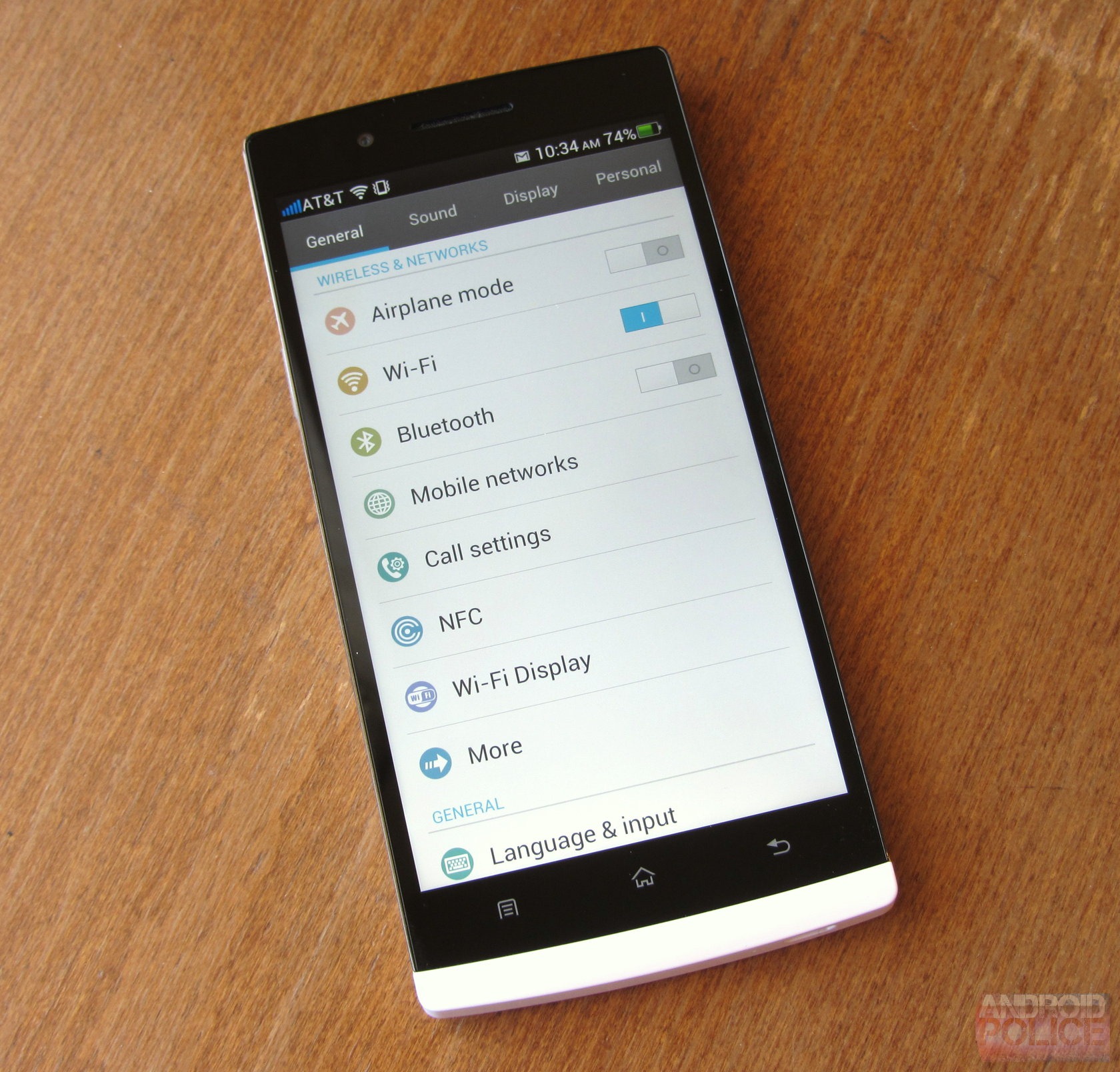
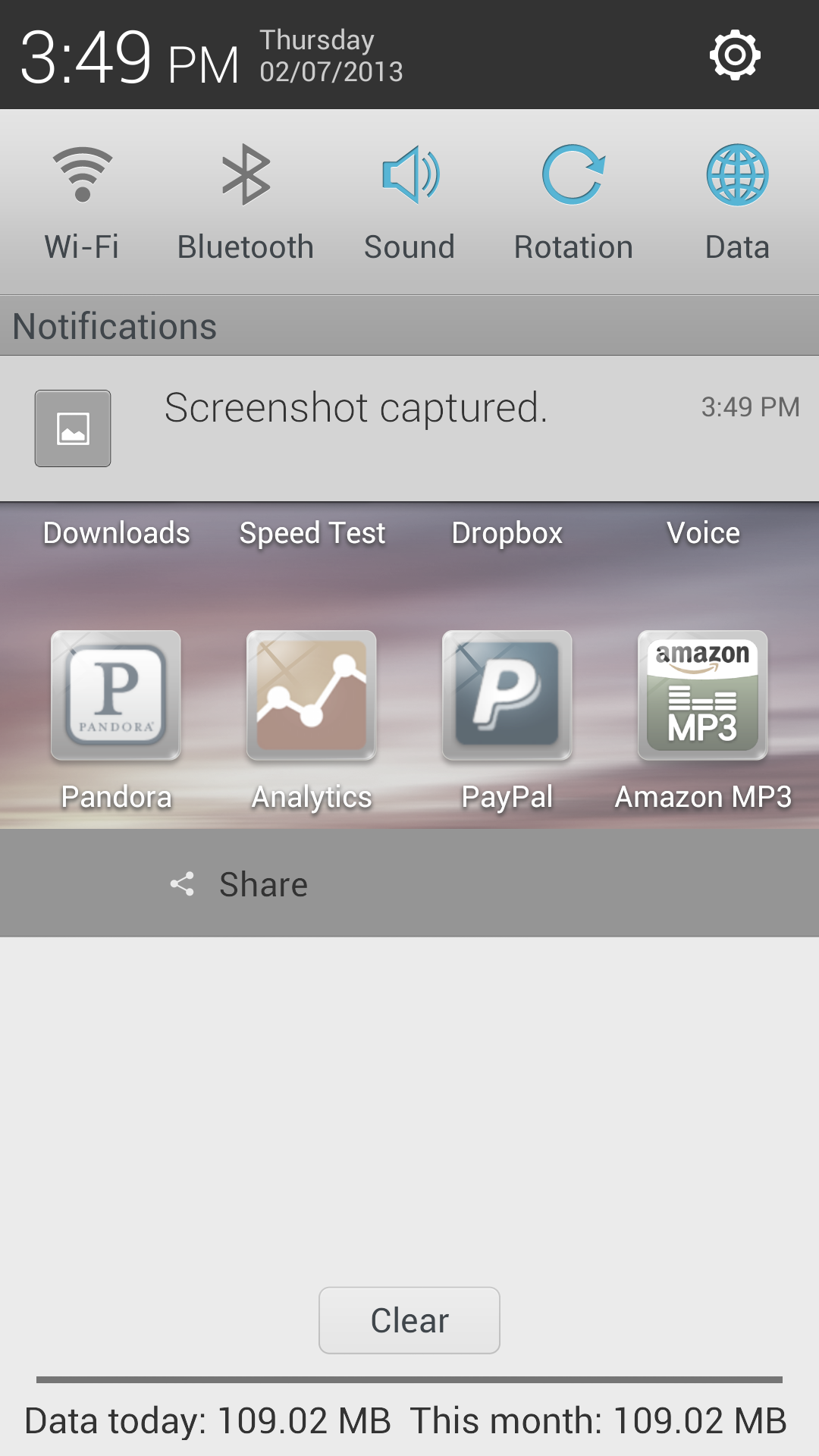
For example, Oppo has taken the excellent idea LG had on the AT&T Optimus G and implemented tabbed settings menus (General / Sound / Display / Personal). This idea makes so much sense it hurts me that only LG and Oppo are using it. Oppo also uses notification bar power controls that are very similar to LG's, in that the items on the list, and the order in which they appear, can be edited. The behavior of the notification light can be changed, and the capacitive key lights toggled on and off. You can see your mobile data consumption for the month at the bottom of the notification pull-down.

SCR_2013-02-07-15-49-45 SCR_2013-02-07-15-49-54 SCR_2013-02-07-15-49-08

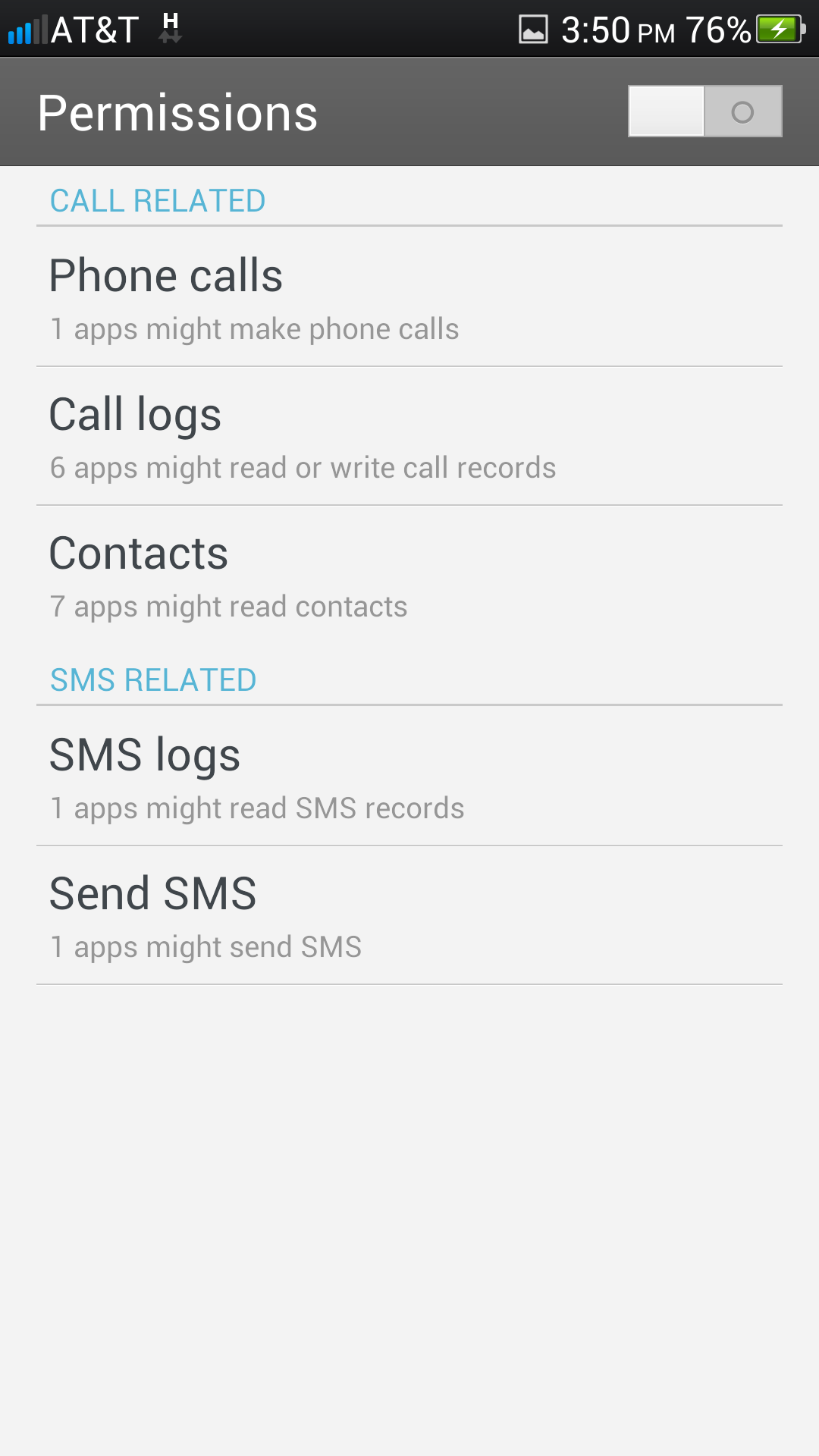
Oppo also has a really neat security option suite. There's a "Permissions" mode - when turned on, apps with permissions related to phone calls and SMS are listed in this sub menu, and unless they're set to "Allow," will give a prompt every time they attempt to access those permissions. You can also set apps to "Deny" if you don't believe they need access to a specific feature, like call logs or your contact list. It's actually pretty cool! And it seems to work.

SCR_2013-02-07-15-50-14 SCR_2013-02-07-15-50-22 SCR_2013-02-20-14-50-03
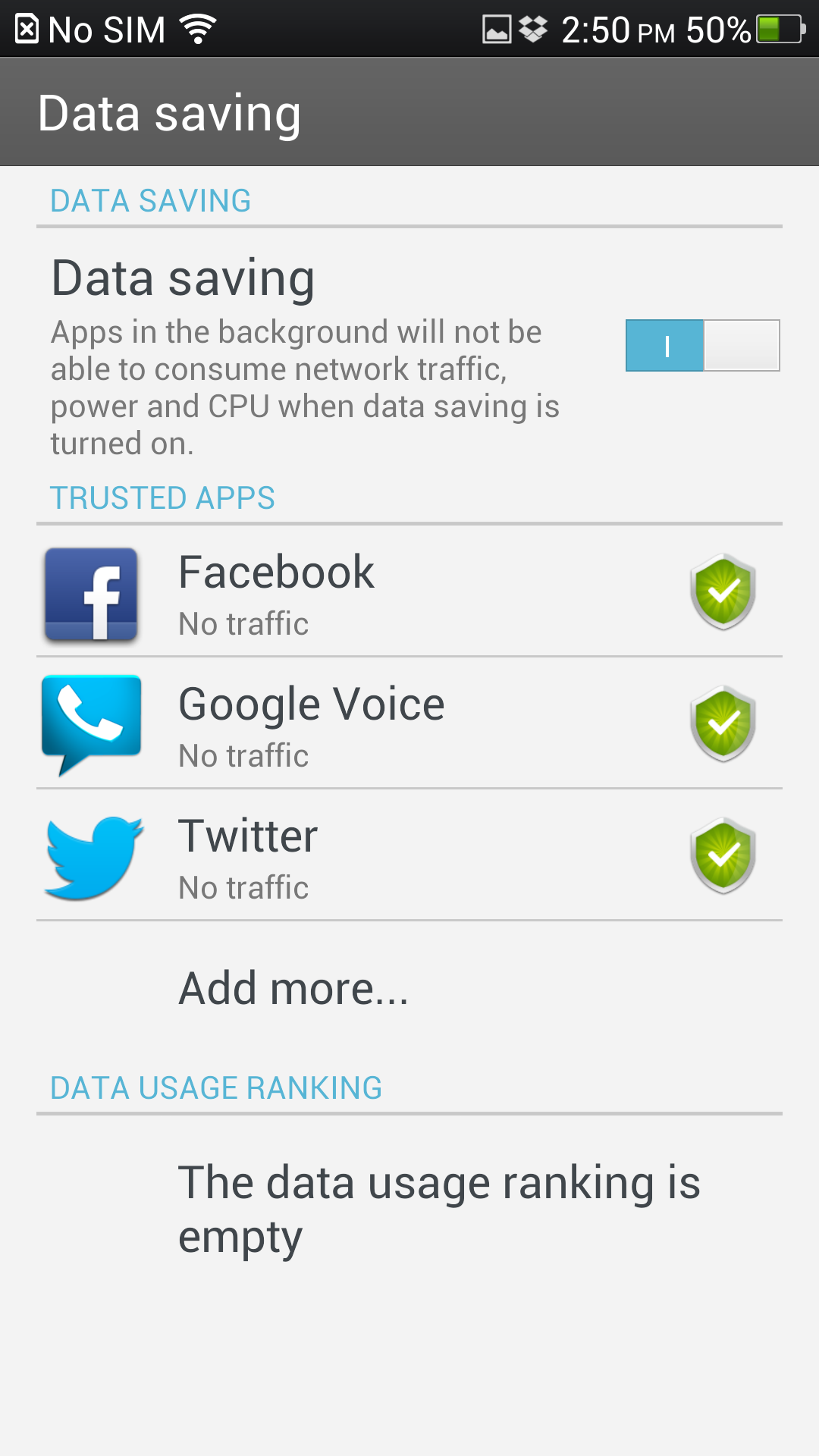
The other security feature is "Data Saving" mode, which when enabled lists your most data-heavy apps, and allows you to freeze their data consumption when they're not actively being used. So, if you feel like Yelp shouldn't be syncing in the background when you're not actually using it, set it to 'Freeze when in background.'

Both the permissions and data saving features obviously have a bit more utility in China, where Android malware is a lot more prevalent - but they're cool nonetheless.
SCR_2013-02-07-15-50-57 SCR_2013-02-07-15-48-58 SCR_2013-02-20-12-39-16

Unfortunately, it's not all good when it comes to the Find 5's software. You can't sort your apps in the app drawer alphabetically. The contacts app has no 'display' options, so you can't hide contacts without phone numbers, or those from accounts you don't want shown. 3rd party app compatibility is hit and miss. For example, Pandora just doesn't work (even though it lets you download it from the Play Store). Gmail crashes quite often. Smoothness is very hit and miss. The system font size can't be changed, so apps like Twitter and Facebook seem a little too 'blown up.'

Oh, and you can't even remotely read the subject line of a Gmail message from the notification bar, just look:
SCR_2013-02-07-15-58-05
Most of those gripes, though, are pretty minor. Oppo's done a surprisingly good job of building and Android UI overlay that's highly functional, feature-rich, and usable. Too bad it's so ugly.

Conclusion
The Find 5 is a phone that surprised me. When I opened it up, I expected lackluster, uninspired software, and cheap hardware. On at least one count, I was wrong - the Find 5's software is more complete in many ways than that of even the biggest manufacturers like Sony, HTC, or LG. It may not be as pretty or visually cohesive, but those are things that come with time. I hope.

The rest of the phone, unfortunately, is decidedly hit or miss. The screen is impressive, but the glass scratches easily. The design is striking and tasteful, but the power/volume buttons are terrible, and the phone is quite heavy for its size. Battery life depends greatly on your usage pattern, and signal strength is unpredictable. Whether some of these flaws (battery life, signal) can be remedied by future software updates is difficult to say.

If you're considering the Find 5, I'd advise you to wait. Right now, the software is still evolving, and while it's possible things will get legitimately better down the line, it's also far from certain. That said, the Find 5 is the first smartphone out of China I've seen that really makes a solid effort at competing with the smartphone big boys - Oppo could be a company to watch in the next few years.
wm_IMG_5295

ASUS MeMO Pad Smart 10 (ME301T) Review: An Amazing Budget Tablet With One Huge Downside

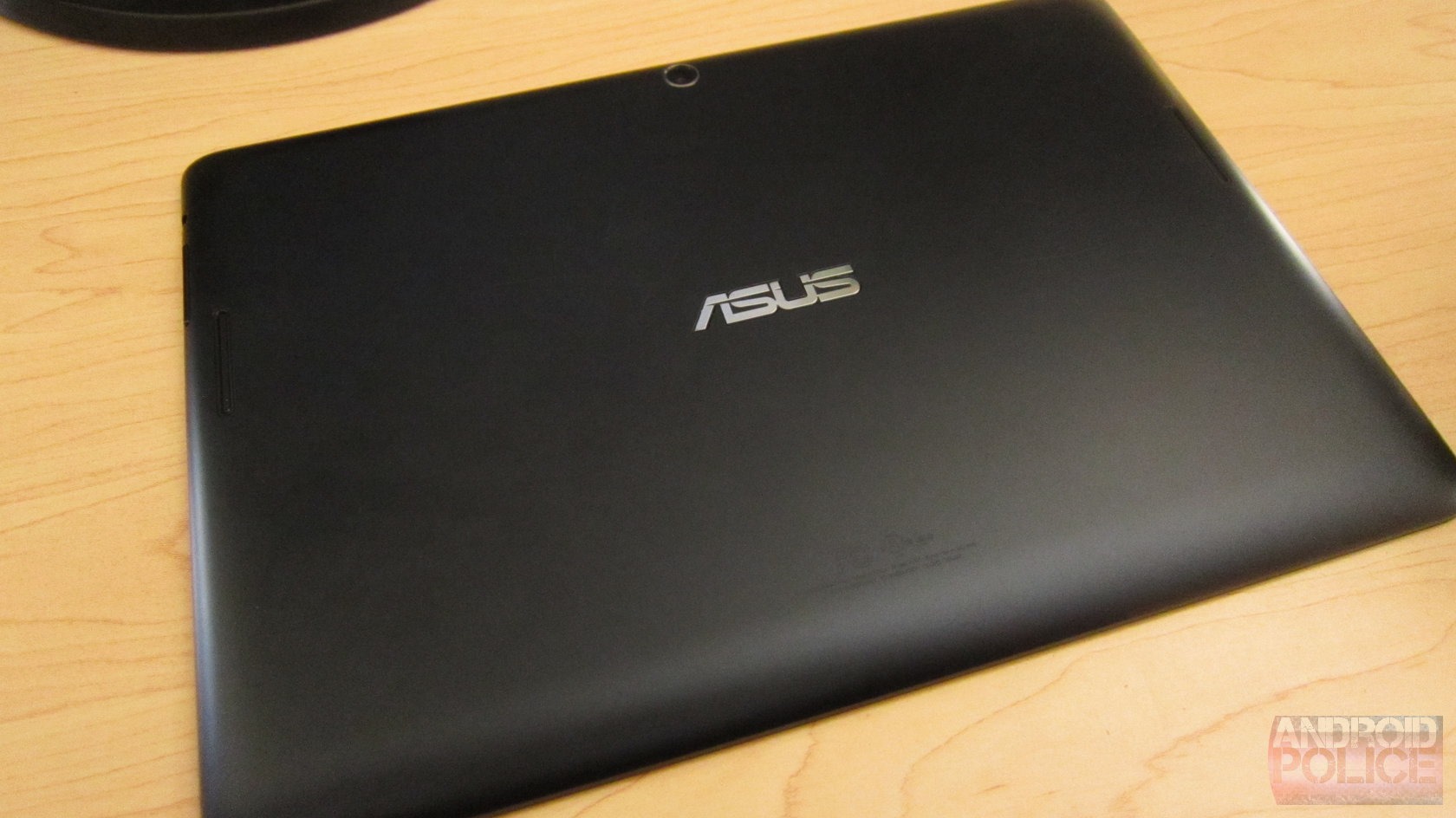
When I first read the specs and saw pictures of the MeMO Pad Smart, the only thing that popped into my mind was this is just like a TF300, minus the dock. It was beyond me why ASUS would even build a tablet that is essentially identical to one of its other tablets. Sure, the price is $50 lower, but still – is there really a market for this?

I imagine that, like me, the majority of you also judged this tablet based merely on the spec sheet. This is last year's flagship, you might have said. And of course, I understand that. Hell, I stepped into this review expecting to tell everyone why they shouldn't buy it.

Guess what, though? I was wrong. This is actually a really good tablet, save for one fairly major flaw. Still, for $300, some of the features it offers absolutely blew me away. If ASUS would've bumped a couple of the specs up a notch – namely the display and RAM – this would easily be one of the best 10" devices on the market.

Now, let's talk about why.
wm_IMG_2695

Specs

  • Display: 10.1" 1280x800 IPS Panel, 350 nit brightness
  • Processor: 1.2GHz NVIDIA Tegra 3 quad-core processor
  • RAM: 1GB DDR3
  • Storage: 16GB, microSD Card slot
  • Cameras: 5MP rear, 1.2MP front 
  • Ports: microUSB 2.0, microHDMI
  • Wireless: Wi-Fi, GPS, Bluetooth 3.0
  • Battery: 19WHr
  • OS: Android 4.1.1, 4.2.x coming "in Q2"
  • Dimensions: 10.3" x 7.1" x 0.39", 1.3 lbs.
  • Price: $299

The Good

  • Form factor. I realize that this is just another 10-inch tablet, but it feels great. Despite being almost identical in weight to the TF700 (Infinity), it still feels lighter. It could be because of the plastic back, or perhaps it's just better balanced than ASUS' high-res tablet.
  • The Speakers. Unlike previous ASUS tablets, the MeMO Pad Smart 10 has two speakers. While they're still on the back, they sound absolutely amazing. Better than any other tablet I've heard – and they could probably trump most laptop speakers, too. ASUS included some specialized EQ software that really pushes the boundaries of what these little speakers can do. It almost sounds like there's a subwoofer stuffed in the back of the tablet somewhere.
  • It's speedy. Yes, Tegra 3. It's fast. You get that. In my initial tests, I didn't notice much of a slowdown when downloading/installing apps, but it's hard to say if that changes (like with all the Transformers) in the long-term. Right out of the box, though, it's quite snappy.
  • MicroUSB Charging. ASUS finally ditched the proprietary charger and went with the modern-day microUSB charger. And I'm so happy about it.
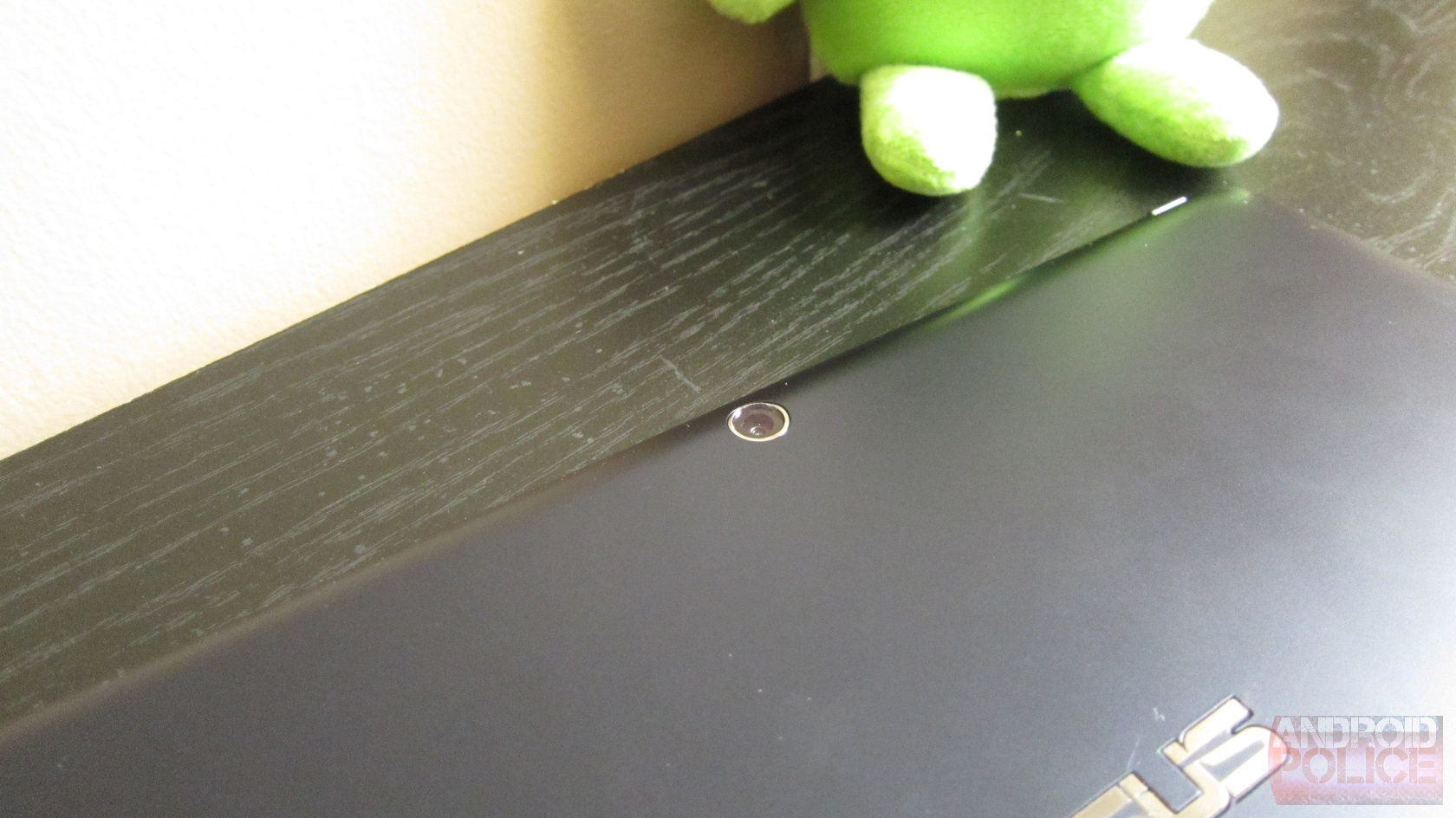
  • The Camera. For a tablet, the camera on the MeMO is actually pretty good! It's very quick, and the image quality is among the best I've ever seen from a larger form-factor device. That's not saying much, but it is something, especially considering the camera is usually one of the first things to get the shaft on a budget device.

The Bad

  • Display. This is 2013, and 1280x800 on a 10-inch device is just unacceptable. I get that this is basically a "budget" tablet, but I can see way too many pixels. Text looks especially awful.
  • It's basically a TF300 without an optional dock. Let's just call it what it is – a Transformer Pad 300. The specs are nearly identical, and the primary differences are the microUSB charger and dual speakers (both of which are fantastic), but really, it's barely even an incremental update.
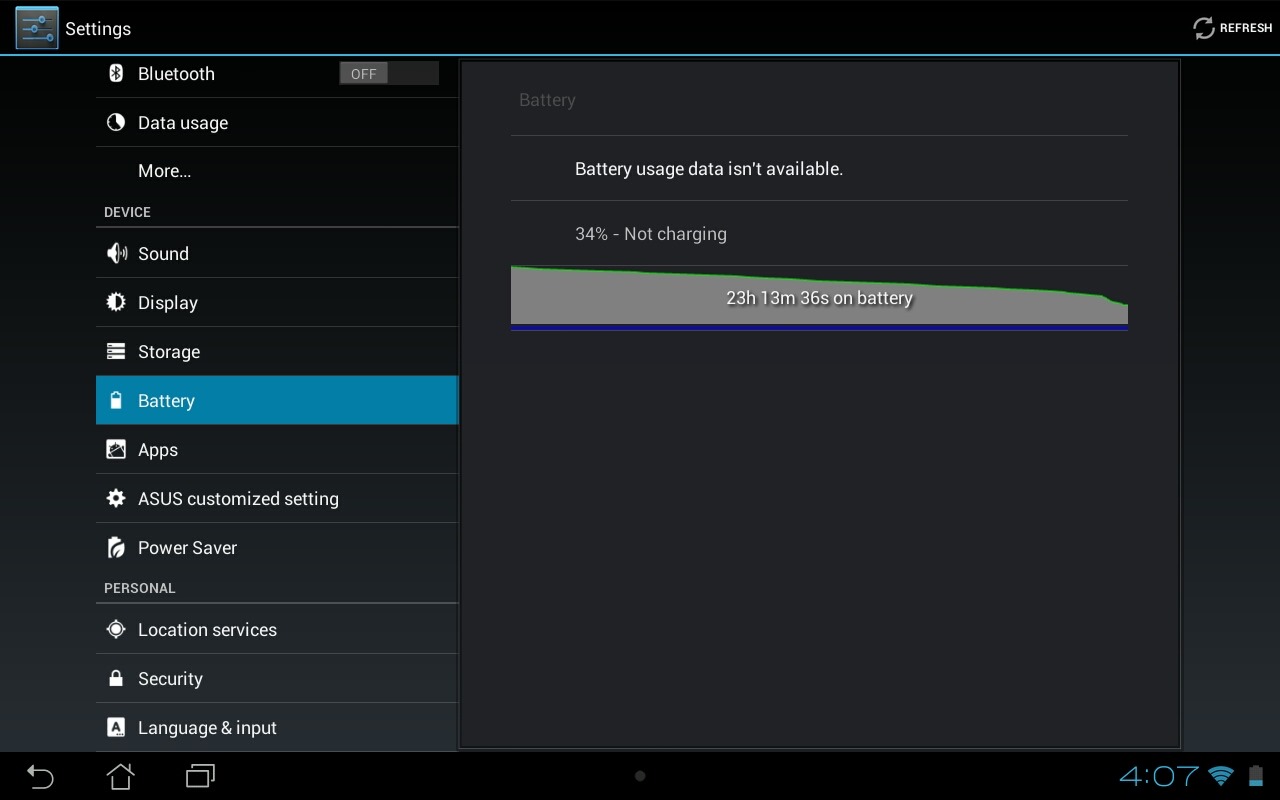
  • Battery Life. Like other ASUS tablets, if you leave the MeMO Pad on overnight, expect it to be dead by dawn. I once left an Acer tablet on for a solid month without really using it, and it didn't die. This one won't even last 30 hours of non-use, much less 30 days.
  • Android 4.1.1. It's a new tablet. How hard is it to ship with 4.2.x, especially considering that a nearly-identical model already has the latest?

Build Quality/Design

wm_IMG_2671 wm_IMG_2672 wm_IMG_2673
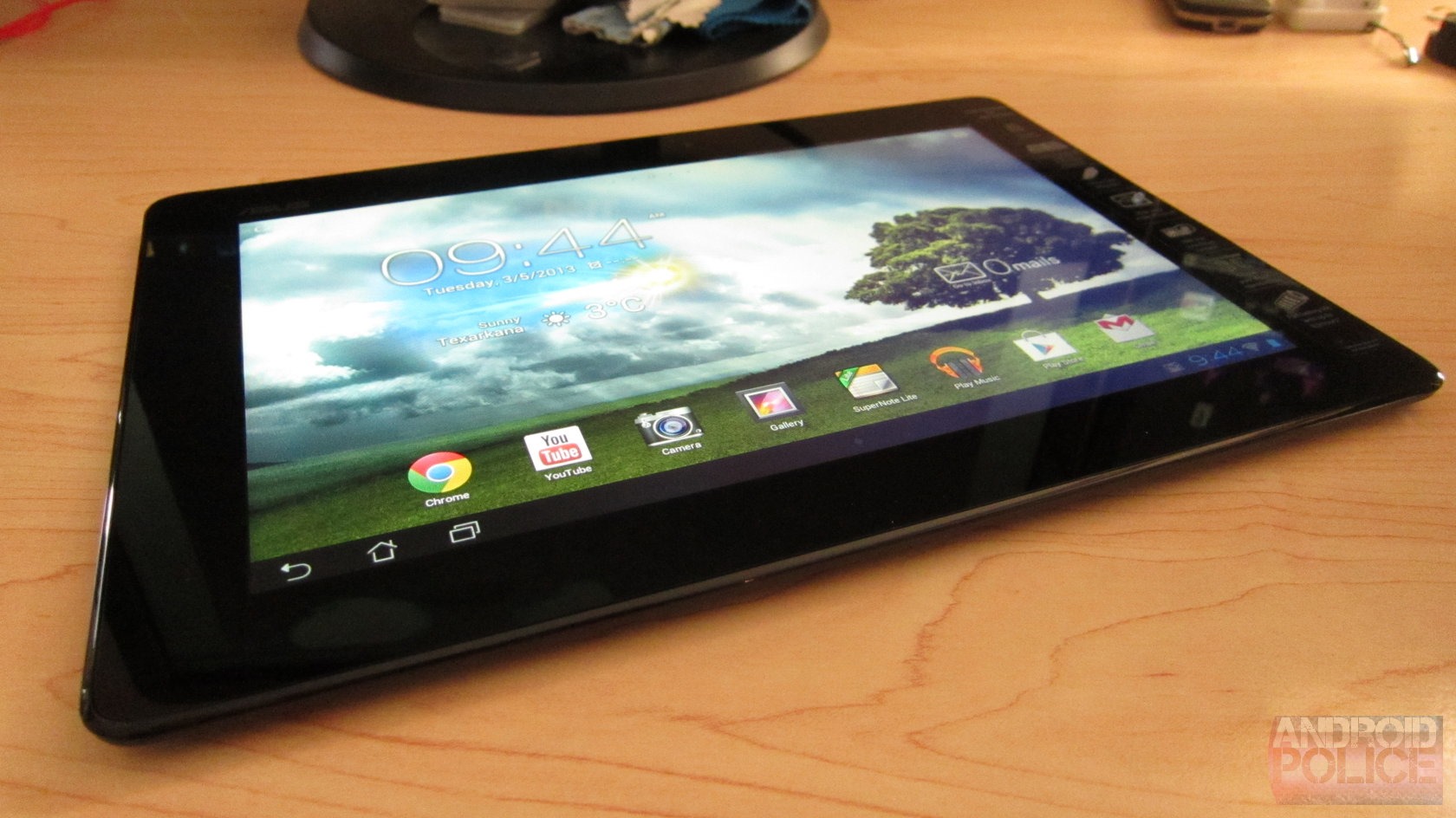
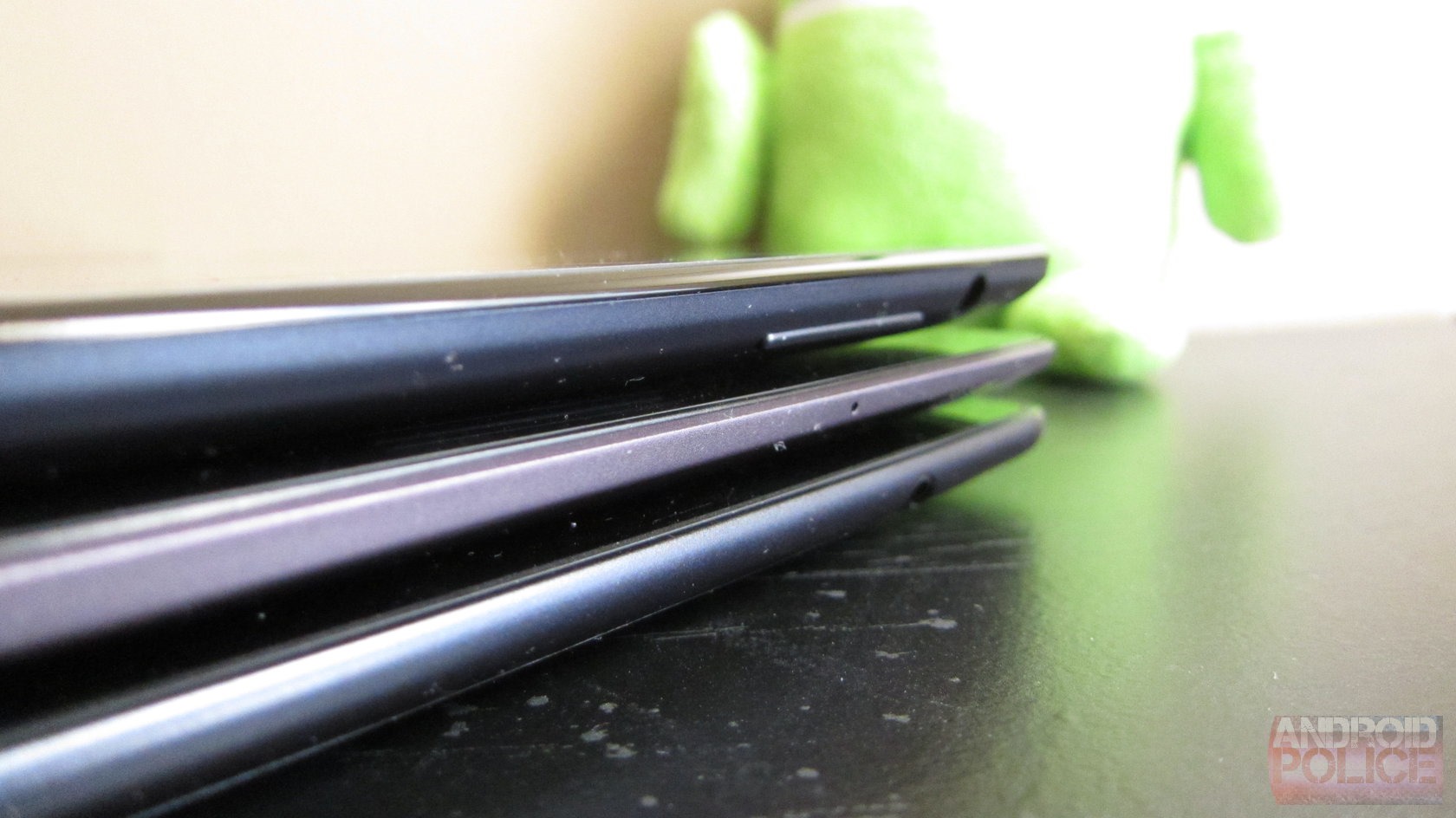
What is there to say about ASUS build quality that hasn't already been said? It's good. Very good. The MeMO Pad is no different. It may be made out of plastic, but it feels great. Unlike the TF300, which has a textured back, the MeMO Pad has a smooth back. That could be what makes it feel so much thinner than the TF300, because in reality, they share essentially the same dimensions. But it definitely adds to the feeling of sleekness.
wm_IMG_2686 wm_IMG_2688
Top to bottom: MeMO Pad Smart, TF700, TF300
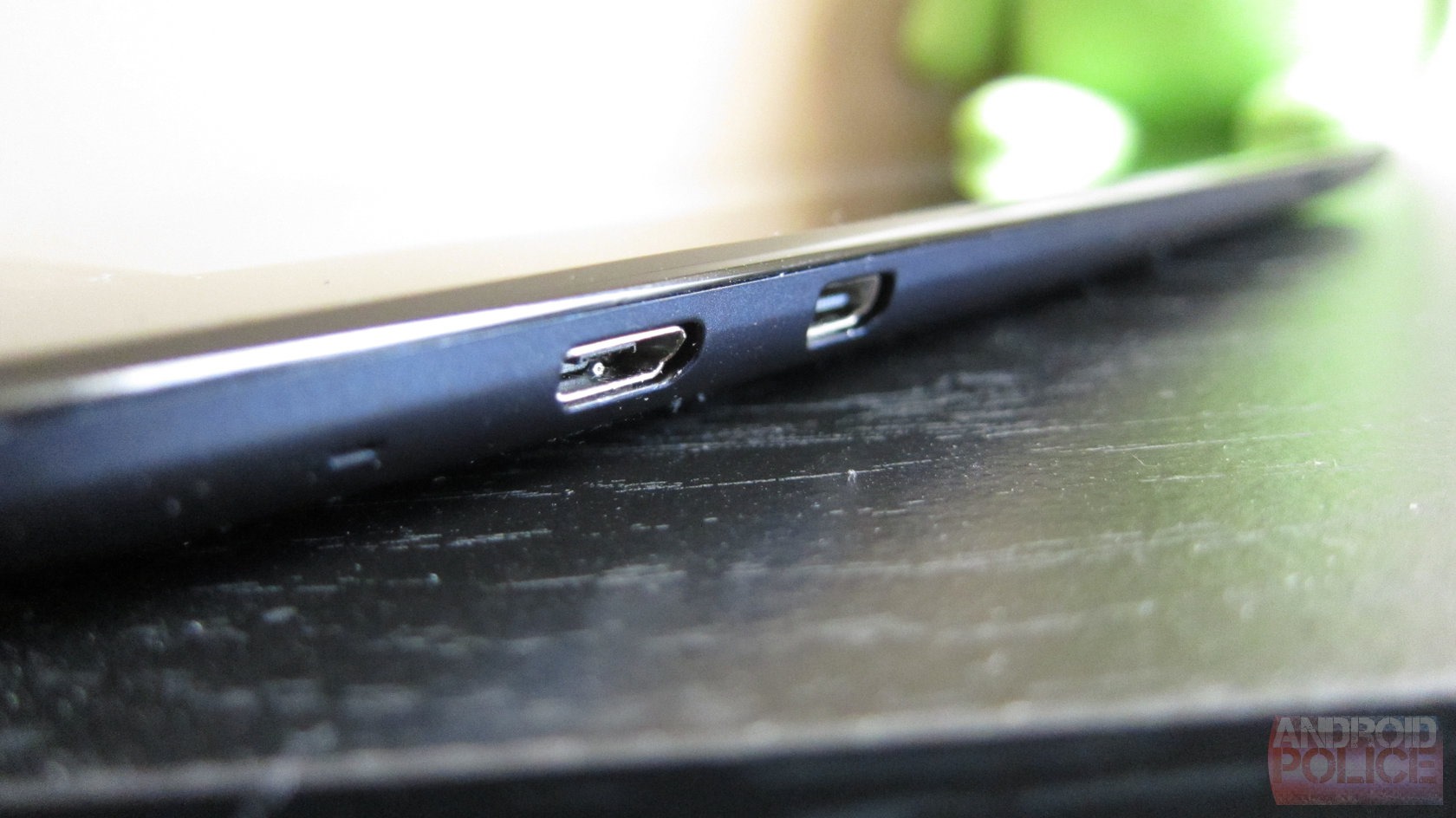
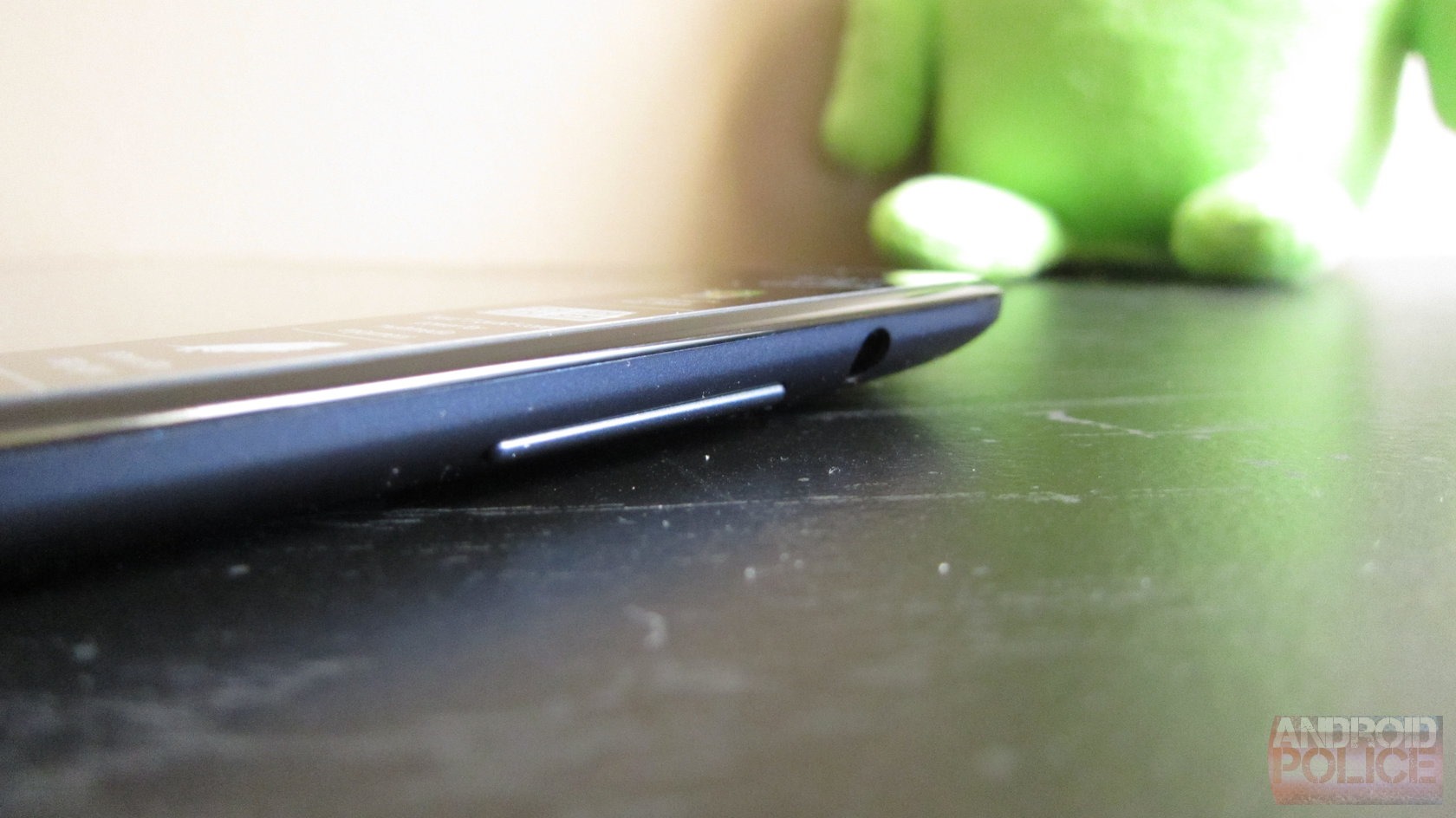
The port and button placement on the tablet is pretty familiar for anyone who's ever used a Transformer: power button on top; microHDMI, microUSB, and microSD on the left side; and volume rocker on the right side. On this one, though, you won't find a thing on the bottom since ASUS did away with the proprietary charger.
Otherwise, it's pretty cut and dry. It's a 10-inch tablet. And it's well-made.

Display and Speakers

wm_IMG_2690
The worst and best features of this device, all lumped into the same category. Gotta take the bad with the good, after all. Let's start with the former.
Plain and simple, the display on the MeMO Pad makes me sad. Most things about this tablet are surprisingly great, but the display is such a downer that it nearly kills the entire experience. After getting used to devices like the Nexus 7 (1280x800, seven-inch display, 216 PPI), Infinity (1920x1200, 10-inch display, 224 PPI), and Nexus 10 (2560x1600, 10-inch display, 300 PPI), 1280x800 on a 10-incher (149 PPI) is gag-worthy. It's not so bad when you're not looking at text, but the second you pop up the notification tray to see your latest email, there's a cringe-inducing reminder of how lackluster the screen really is. Still, it does have impressive viewing angles. That's good for those times you want to show the guy next to you all those crappy pixels.
wm_IMG_2674 wm_IMG_2675
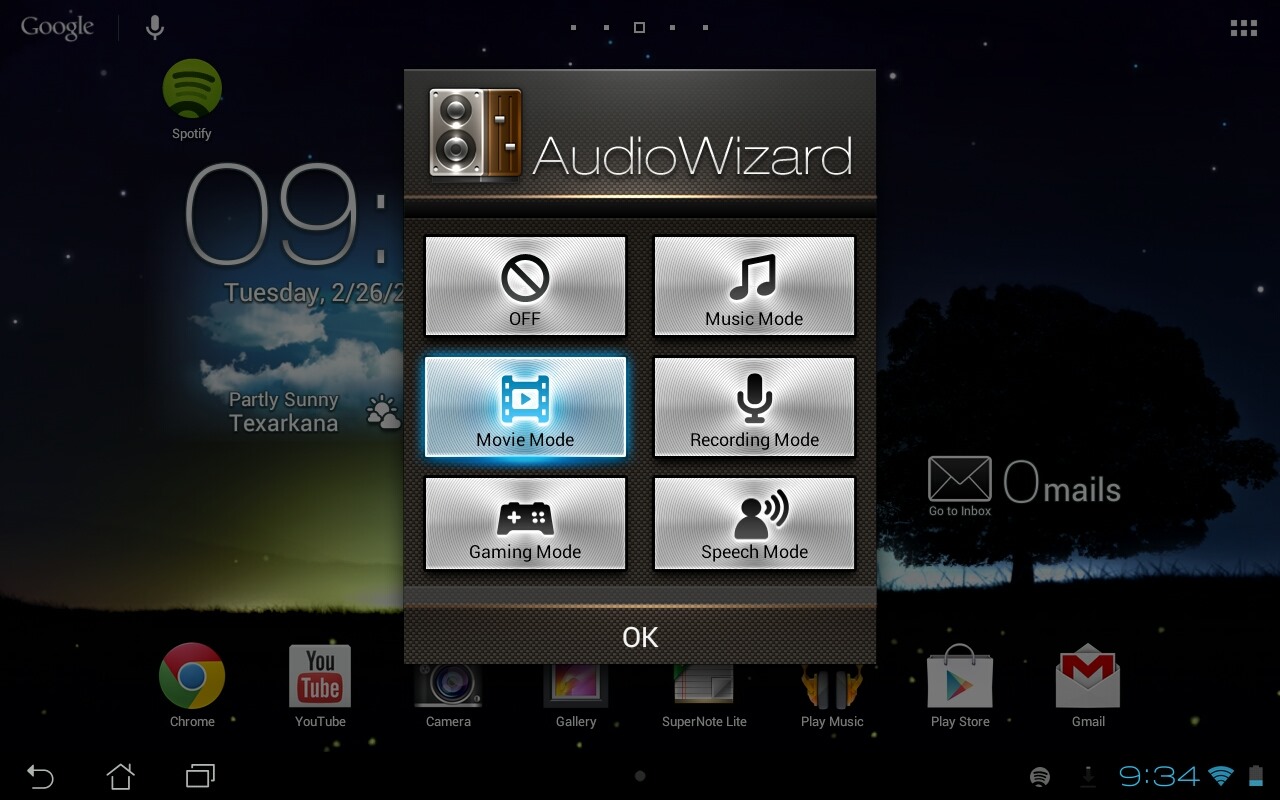
But then there are the speakers. When it comes to tablet audio, the N10 usually gets the award for best speakers, but that's mostly because they're on the front. The MeMO's speakers are on the back, but holy crap, they'll blow your mind. ASUS shipped the device with some neat software that basically tweaks the EQ with some fairly simple settings for different uses: music, movies, recording, gaming, speech, and off. There is a very discernable difference between all of the settings, and it's actually pretty clear each one was indeed tailor-made for its intended use.
Screenshot_2013-02-26-21-34-19
For example, the "gaming" and "movie" modes both have a fairly substantial amount of bass, which just adds to the cinematic effect of each. "Music" and "speech," on the other hand, are both a little heavier on mids and treble. Ultimately, you can use whichever settings you want, but I found the bass-heavy settings tend to cause distortion when listening to music. Hence the music setting, which has less bass.

Speaking of bass, I just want to throw it out there that it sounds like ASUS somehow crammed a tiny subwoofer capable of producing massive sound into the back of this tablet. I mean, it's not going to rattle the windows or anything, but even after a week of using the device, I'm still astounded that these sounds are coming from a tablet.

Software

Screenshot_2013-03-05-10-07-09
Enough about speakers, though. Let's talk about software! Basically, the MeMO differs from other 10-inch ASUS tablets in very few ways. It's running Android 4.1.1 out of the box, has a few ASUS customizations, and, honestly, that's really it.
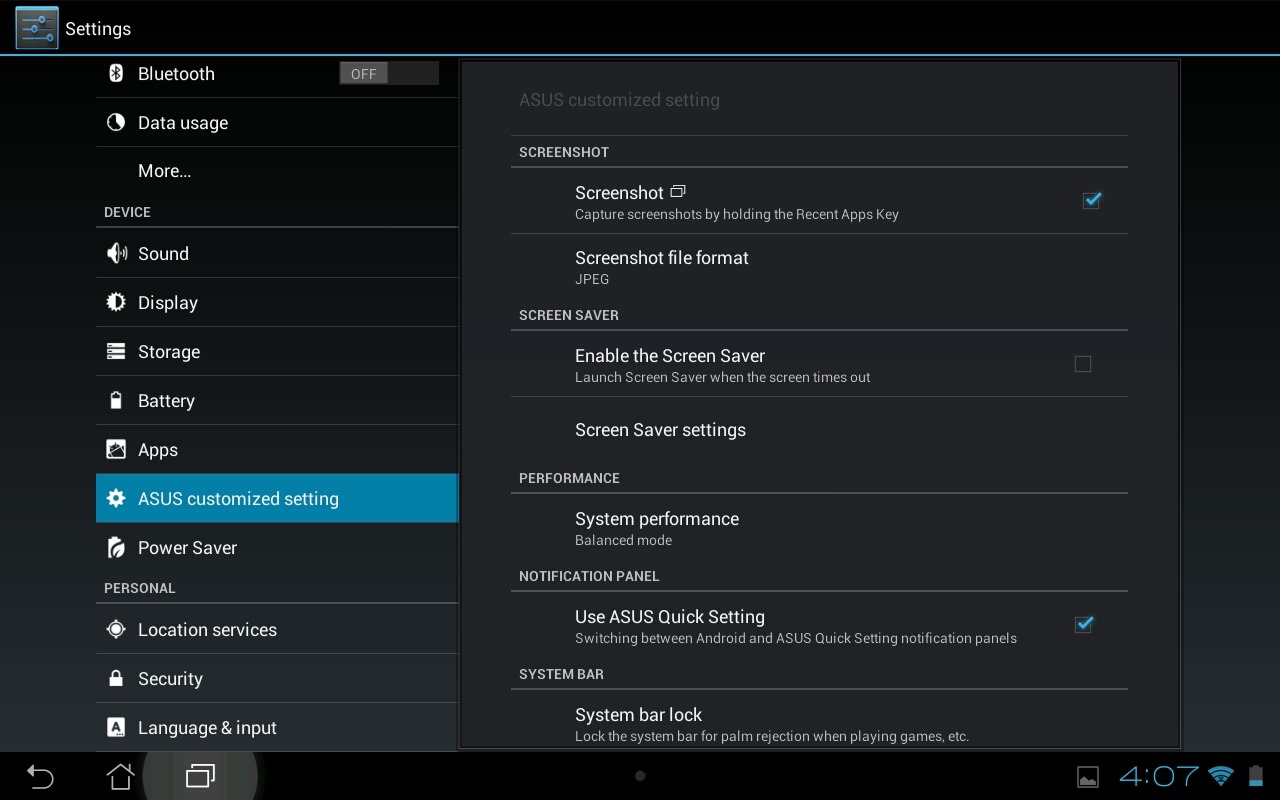
Aside from ASUS' typical notification quick settings mod, the device sports a few other minor tweaks, like the ability to take a screenshot by long-pressing the recent apps key (the normal power+volume down method still works, too), a "screen saver" option that essentially turns the tablet into a digital picture frame, and a "system bar lock," which renders the navigation/notification bar unusable to avoid accidental taps while gaming, watching movies, and the like. All very basic, yet useful features. 

Screenshot_2013-03-04-16-07-32
Just like on the more recent Transformer tablets, you'll also find three different performance modes: power savings, balanced, and performance. This can aid in saving battery life when you need to keep the device alive a bit longer, as well as kick it into high gear when you want to get all that Tegra 3 has to offer. For the most part, I leave all the ASUS tablets in "balanced" mode, which has always provided the juice I needed. The MeMO was no exception.
The MeMO Pad ships with various ASUS apps bundled. I'd be remiss not to highlight what these apps do, so here's a brief description of each:
  • App Backup – This is basically ASUS' version of Titanium Backup, but it (obviously) doesn't require root. As such, it's not as powerful, either. Still, it's cool.
  • App Locker – This locks your apps up behind a password.
  • ASUS Studio – ASUS' take on the gallery. Features a lot of the same editing functionality already found in Android 4.2.
  • AudioWizard – The EQ quick settings menu.
  • BuzzBuddy – It's a social media aggregator that handles Facebook, Twitter, and something called "Plurk."
  • File Manager – Um, it's a file manager.
  • MyBitCast – This one is sort of like Evernote, but it uses ASUS WebStorage to sync across multiple devices.
  • MyLibarary Lite – An ebook reader.
  • Parental Lock – Like the name suggests, this is an all-in-one place for parents. Device tracking, application locking, and custom lockout times are all along for the ride.
  • PinPal – Another social media aggregator. Not sure why.
  • Press Reader – A news aggregator that offers "over 2,000 full-content newspapers from 95 countries." This one's actually a paid service, so the bundled app is just a free trial.
  • SuperNote Lite – For taking notes with natural handwriting.
  • WebStorage – Similar to Dropbox in function, but ASUS-branded.
That really sums up the software. ASUS doesn't tweak Android all that much, which is a good thing. What said software is capable of is the important part. With that, let's get into performance.

Performance

This is what it all boils down to, isn't it? The display, speakers, form factor, and everything else about a device can be perfect, but if it can't deliver a quality experience, then it's basically useless.

When it comes to getting down to business (or gaming, watching movies, or reading things), the MeMO doesn't seem to have much problem delivering. It handled everything I threw at it with grace, but I would expected nothing less from a Tegra 3 device. Gaming was smooth and fluid, browsing the web went off without a hitch, movie playback was good – basically anything you'd want to do with a tablet is good to go on the MeMO pad where performance is concerned.

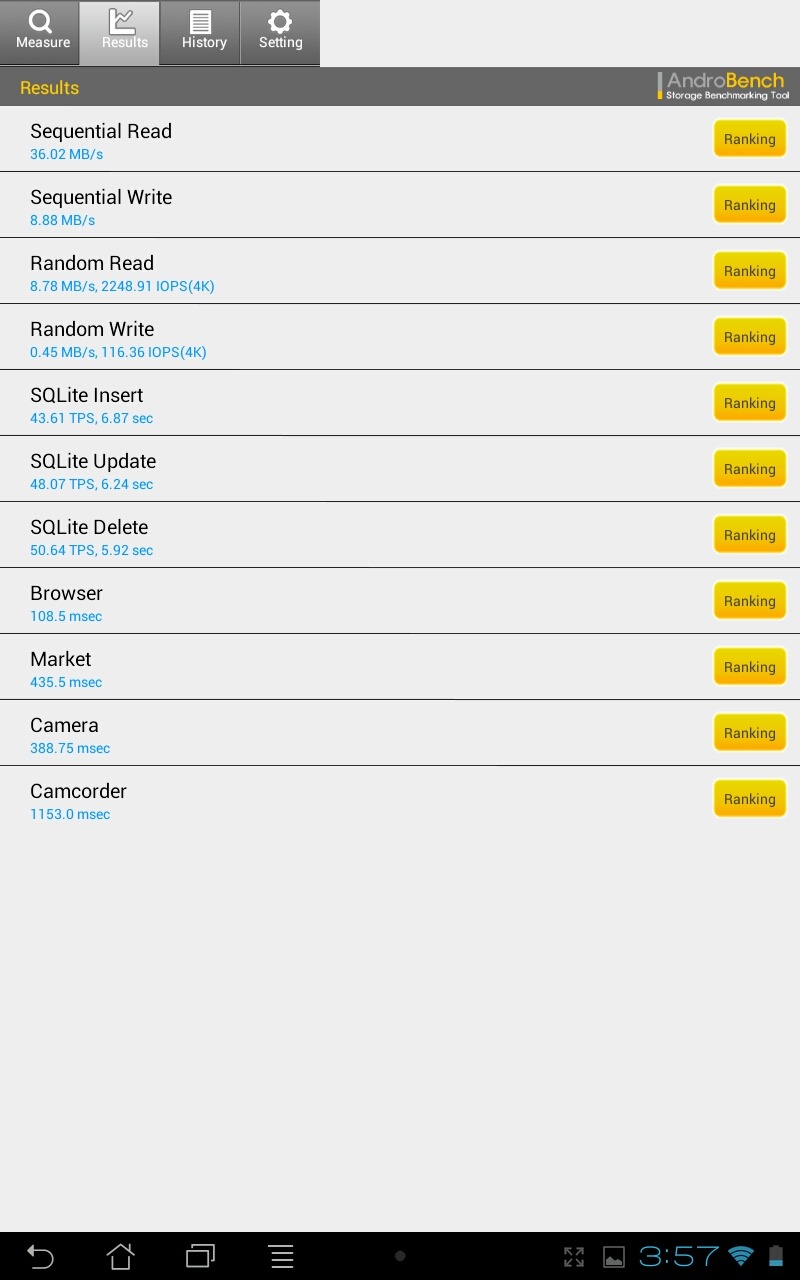
Of course, the real issue with all ASUS tablets up to this point has been the storage read/write speed. Everything may seem to be fine, but when it comes to any write-intensive task – like installing apps, for example – the device slows to a crawl. While I haven't experienced that issue on the MeMO in the same magnitude that I have with other ASUS tablets (most Androbench scores nearly doubled that of the TF300), there was a hint of slowdown while updating apps. It's hard to say whether or not that issue will worsen with time, but it's definitely something to consider.

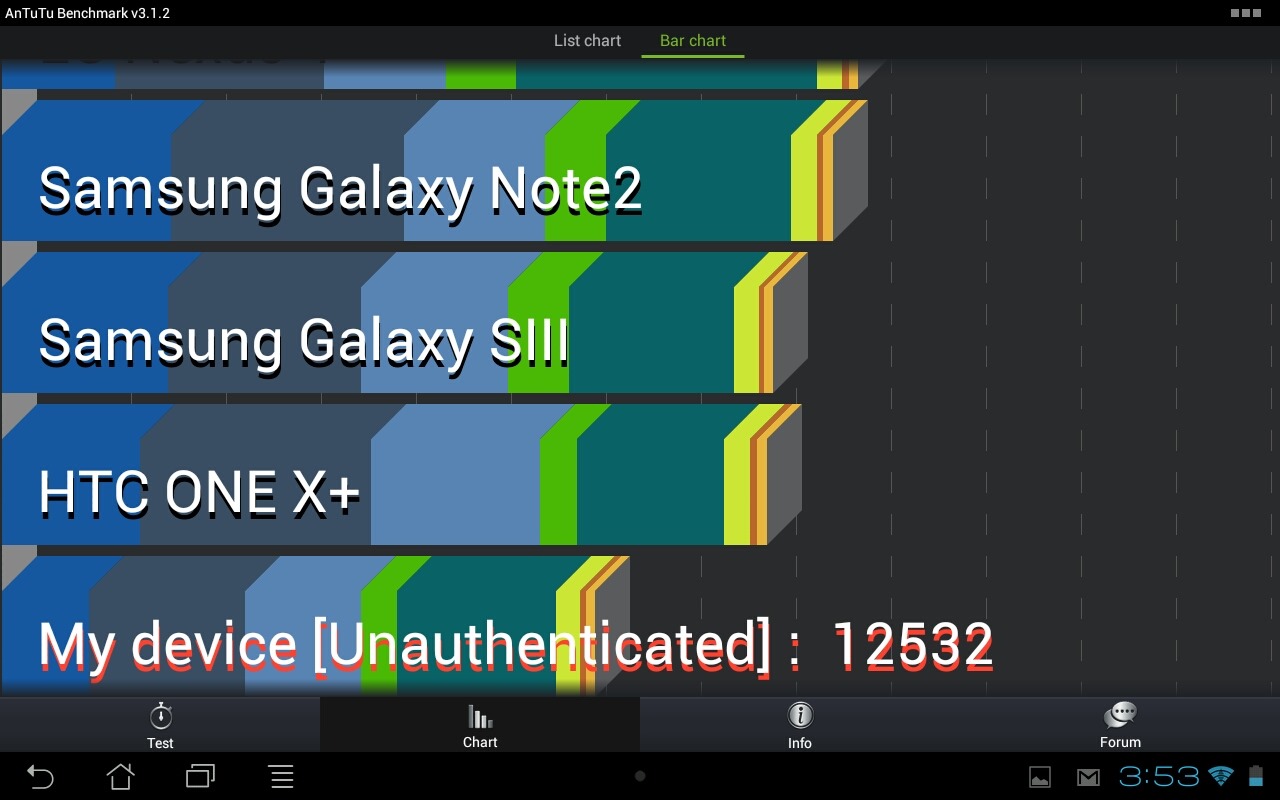
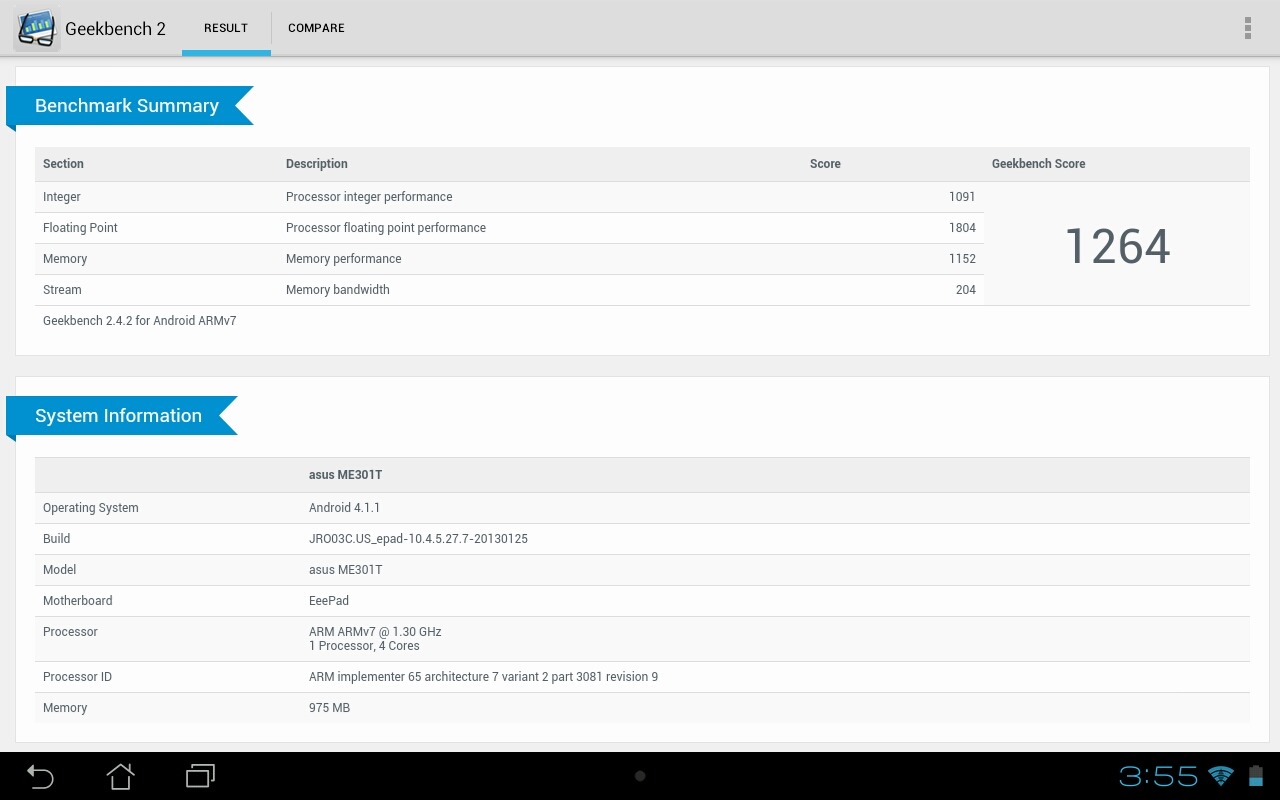
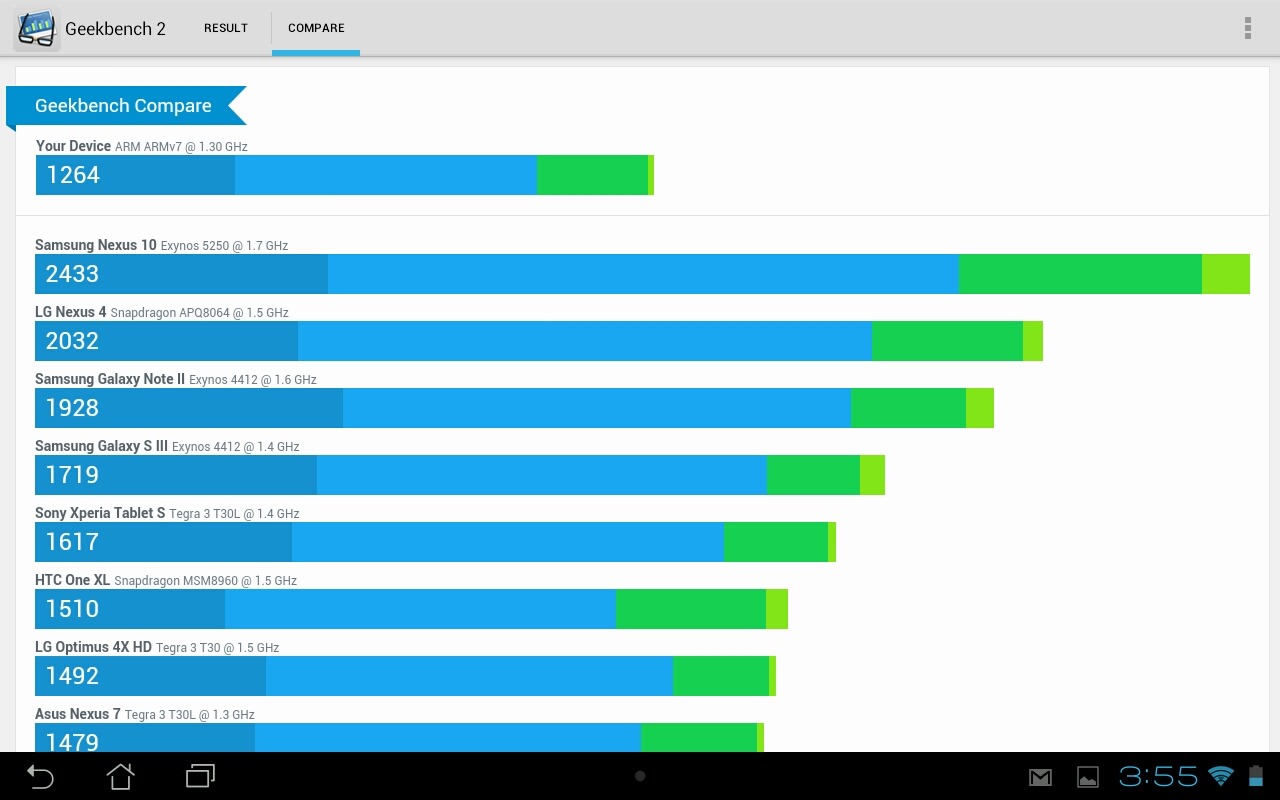
Since everyone loves to be able to quantify how good a device actually is, here are a few of the most common and relevant benchmarks.

AntuTu

Screenshot_2013-03-04-15-53-00 Screenshot_2013-03-04-15-53-51

Geekbench

Screenshot_2013-03-04-15-55-50 Screenshot_2013-03-04-15-55-38

Androbench

Screenshot_2013-03-04-15-57-55

As always, benchmarks should be taken with a grain of salt, as they don't tell the entire story. Still, they're a decent way to at least get an idea of how a device performs.

Battery Life

Screenshot_2013-03-04-16-07-12
This is always the hardest part of a review for me, for one reason only: it's nearly impossible to use any sort of blanket test to quantify battery life. Sure, we could loop video and tell you how long the battery lasts, or "stream music with Wi-Fi on and brightness at 50%" until we get a low battery warning, but neither of those are real world use. Instead, I can just use the device like I would normally use a tablet, and share my results. In my opinion, that's the best way to judge battery life, but it's still far from perfect because your use may be quite different than mine. And I imagine it is. But that's what we have to work with.

With that little bit of opinion out of the way, let's talk about the actual battery life of the MeMO Smart. According to ASUS you should get "up to 8.5 hours" of use. That is, of course, under the most ideal conditions (read: not real world use). In my tests, I got roughly 7ish hours of use.

But what do my "tests" consist of? There really isn't a lot of science behind it, honestly. Here's the long and short of it:
  • Web browsing, email, social networking (light web stuff): 1(ish) hour
  • Gaming: 1 hour
  • Picking through menus, messing around, other review-based junk: 2 hours
  • Magazines, books, videos, maybe a movie: 2(ish) hours
Like I said earlier, I rarely change the mode on any of the ASUS tablets from "balanced," and that's exactly how I handled the MeMO, too. If you drop it down to "power saver," I'm sure you could squeeze and extra hour, maybe two out of it. Adversely, "performance" will kill it quicker. It's not rocket science.

If you're the type who must have something a little more concrete, I think 7 hours is a safe number to say, granted you plan on doing more than gaming 100% of the time. And that's that.

Camera

wm_IMG_2676
So far as tablet cameras are concerned, the one on the MeMO Pad is a winner – and that's something I don't say lightly. Mostly because tablet manufacturers generally use garbage cameras, so I wonder why they even waste their time putting them in there. If you're going to do something, do it right. Right? Right.

But back to the MeMO Pad's camera. It's lightning fast – even in less than ideal lighting conditions it snaps pictures instantly. But that's not the only thing that makes it "good;" the pictures are surprisingly decent, too. Especially when you consider that this is a budget tablet, because, let's be honest, the camera is usually one of the first things to take a hit in more affordable devices. Enough of that. Here are some sample images, because they tell the story much better than I do.

IMG_20130304_130106
IMG_20130305_130714 IMG_20130305_130720
IMG_20130305_132451 IMG_20130305_132559 IMG_20130305_132913
Top: close-up, indoors; middle: portrait, indoors; bottom: outdoors (like you couldn't tell)

Conclusion

wm_IMG_2701
As I said at the beginning, I went in to this review expecting to be reviewing a 2012 tablet in 2013. In a way, that's exactly what I got. But the MeMO Pad Smart is much more, and is actually better than many of 2012's offerings, especially from ASUS. Sure, it doesn't have a nifty keyboard dock that nearly doubles the battery life, a hi-res display, or the latest version of Android (right now), but it does have a fantastic set of speakers, solid performance, and a likeable fit and finish. Is it the best tablet on the market? No. Far from it. But for $300, it's a good buy, so long as you can get past the 1280x800 display. That's honestly the only thing holding me back from giving the MeMO two big thumbs up. If ASUS would've taken a bit more of a hit and threw a 1920x1200 panel in here for the same price, this device would've been one of the best budget tablets money could buy.

As it stands though, it's just OK. I'm walking away form this review actually impressed with what ASUS has done, but desperately wishing the decision would've been made to include a higher resolution screen, because it pains me to see a tablet this good fall short in such a huge way.

The bottom line is this: if you absolutely cannot go over $300, the MeMO Pad Smart is a pretty good option. If you jump up to $400, though, a whole new world of options are opened up, including the powerhouse Nexus 10.

If you have any questions about the MeMO Pad Smart, feel free to fire away in the comments and I'll do my best to answer.

You might also like:

Related Posts Plugin for WordPress, Blogger...

Infolinks In Text Ads